Accrual Automation
Accelerate your financial close with Accrual Automation
built for NetSuite
Accelerate your month-end close with intelligent expense accrual estimates that boost productivity, improve accuracy, and provide real-time financial visibility. Charted Accrual Automation leverages intelligent spend analysis and seamless approval workflows—fully embedded in NetSuite—to transform your most time-consuming close processes.


Accrual automation designed and built for NetSuite
Most accruals are still built in Excel.
A better way is finally here.
If your close starts with a blank spreadsheet, a stack of emailed estimates, and dozens of reports you run manually, you’re not alone. Here is what changes when accruals are fully automated.
How Month-end works today
- Estimates arrive by email, whenever budget owners get around to sending them
- Someone builds the accrual spreadsheet the night before the month-end close
- Amounts are best guesses, and they keep changing after the journal posts
- Reversals are tracked by hand, and one missed reversal double-counts an expense
How Charted improves your process
- Estimates are built from data you already have: vendor history and open purchase orders
- The accrual worksheet is ready when close starts, not the night before
- Amounts are calculated the same way every month, with a review step before anything posts
- Reversals are scheduled the moment the accrual posts, and clear when the invoice arrives
Why Charted?
Why finance teams choose Charted Accrual Automation
Charted Accrual Automation features
Transform your AP workflow with Accrual Automation for NetSuite
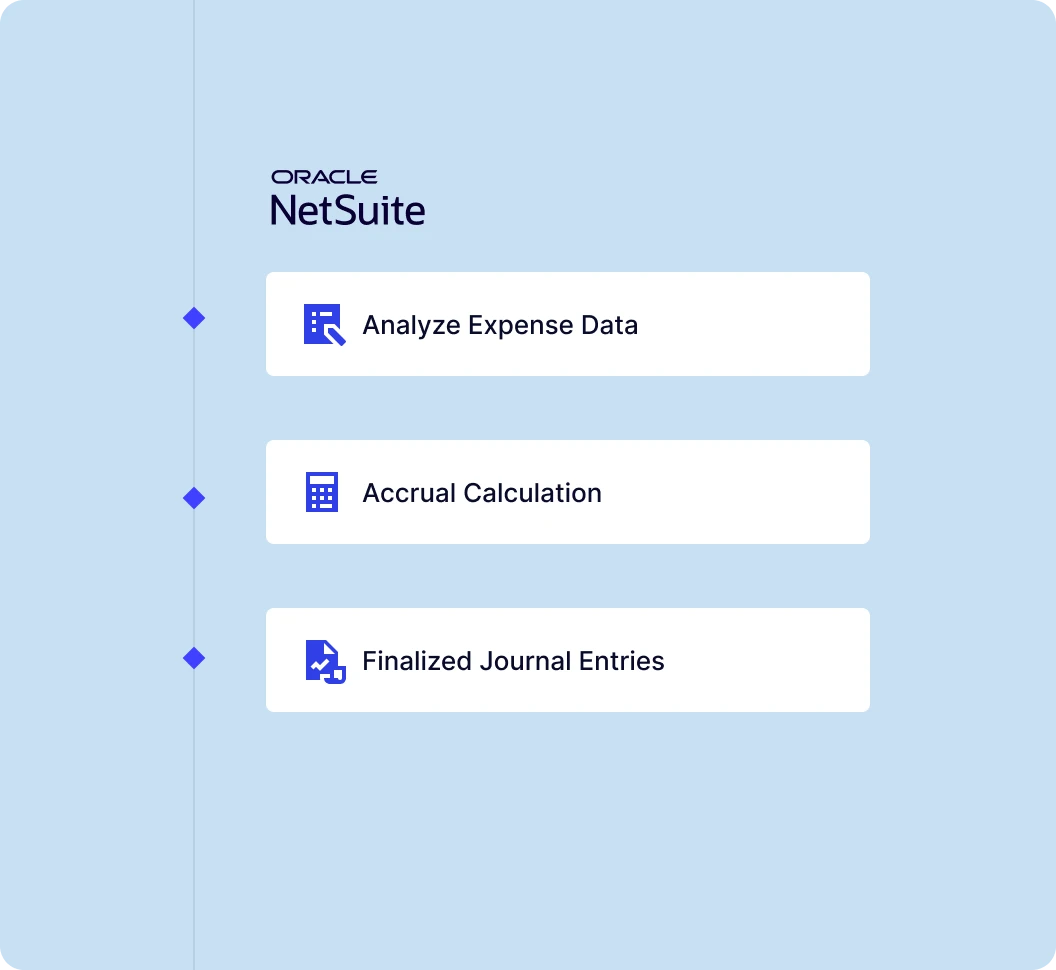
Comprehensive accrual
scenario management
Handles all common accrual scenarios: regular recurring expenses using historical patterns, contract-based accruals leveraging PO details, and pending approval transactions—ensuring complete financial visibility across your entire AP workflow.
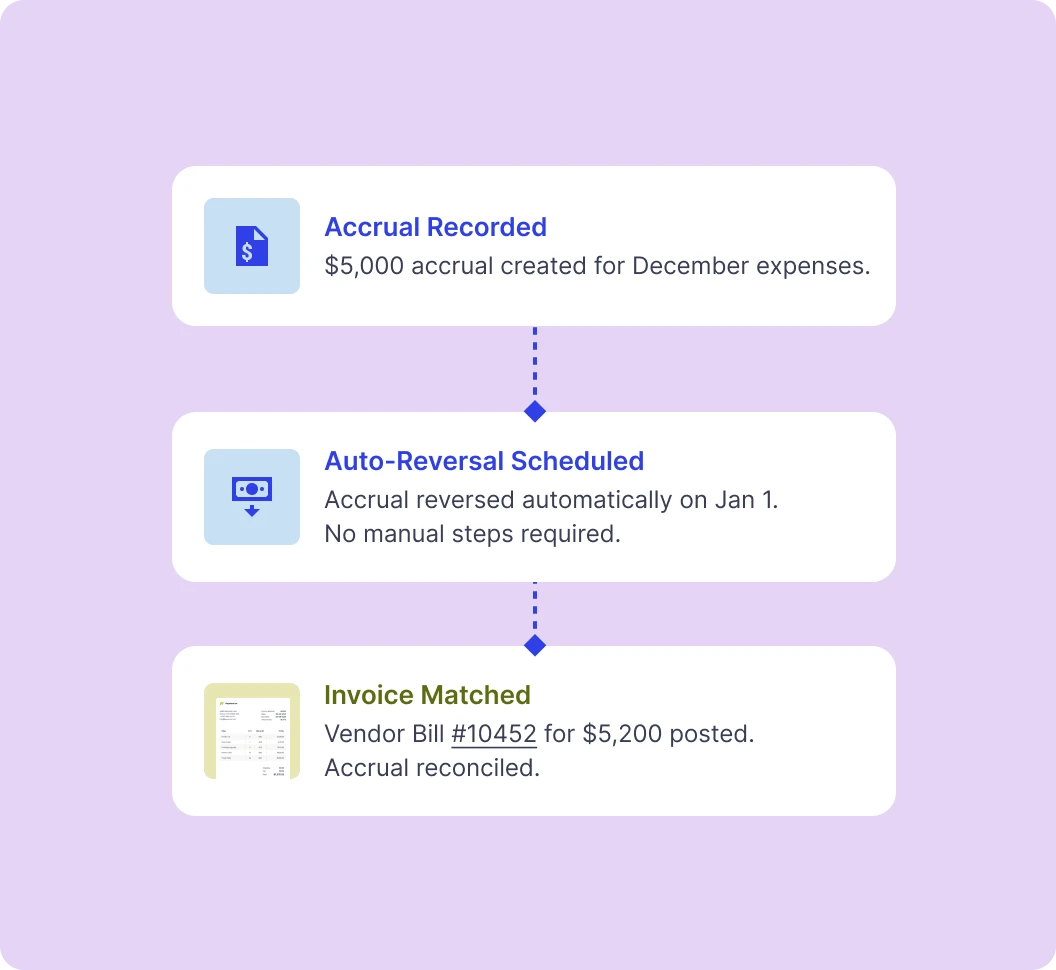
Automated reversal &
reconciliation
Automatically reverses accrual entries when actual invoices are processed to prevent double-counting, eliminating manual reconciliation work while maintaining accurate financial statements and complete audit trails throughout the process.
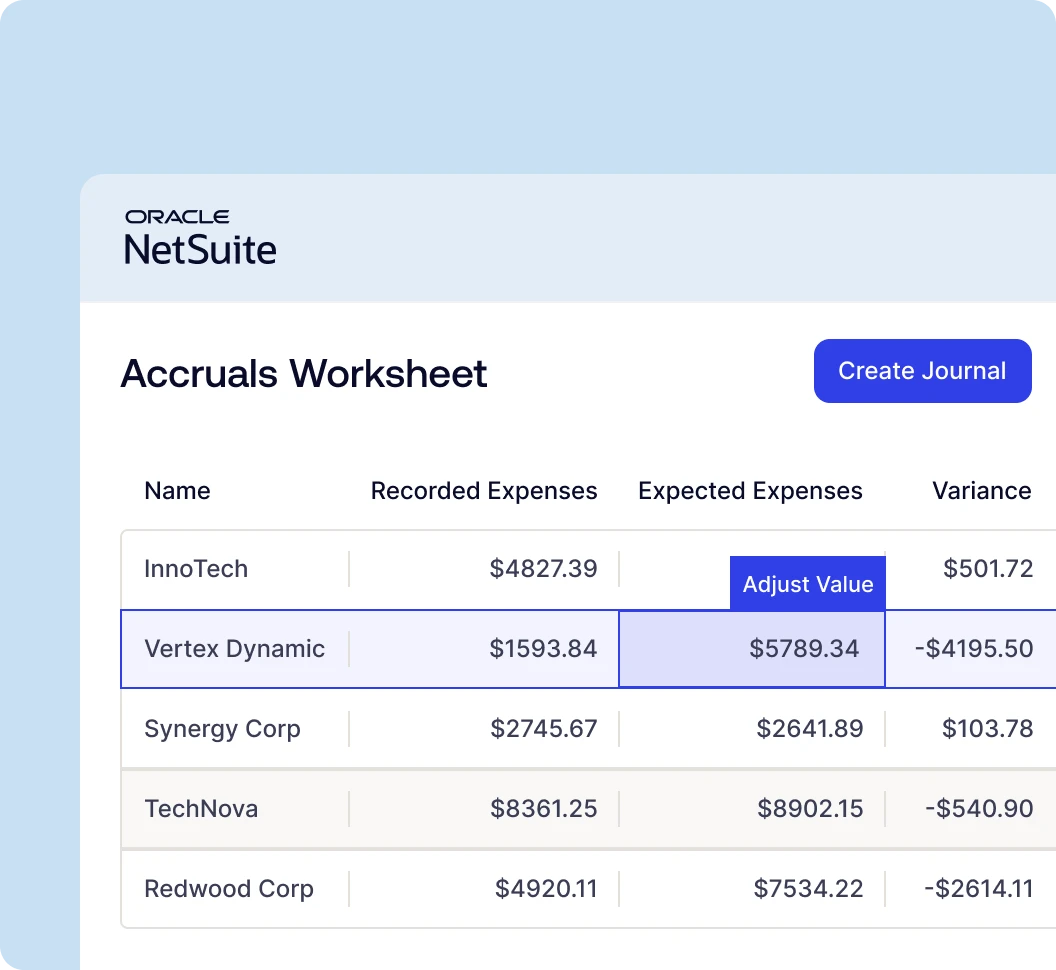
Real-time confirmations & adjustments
Enables real-time confirmations and adjustments to accrual estimates with dynamic updates based on changing business conditions, giving controllers complete flexibility to refine estimates as new information becomes available.

Automated journal creation & routing
Streamlines accrual journal entry creation with one-click generation and automatic routing through your existing approval matrix, allowing approvers to review and approve entries via email without requiring NetSuite licenses while maintaining complete audit trails.
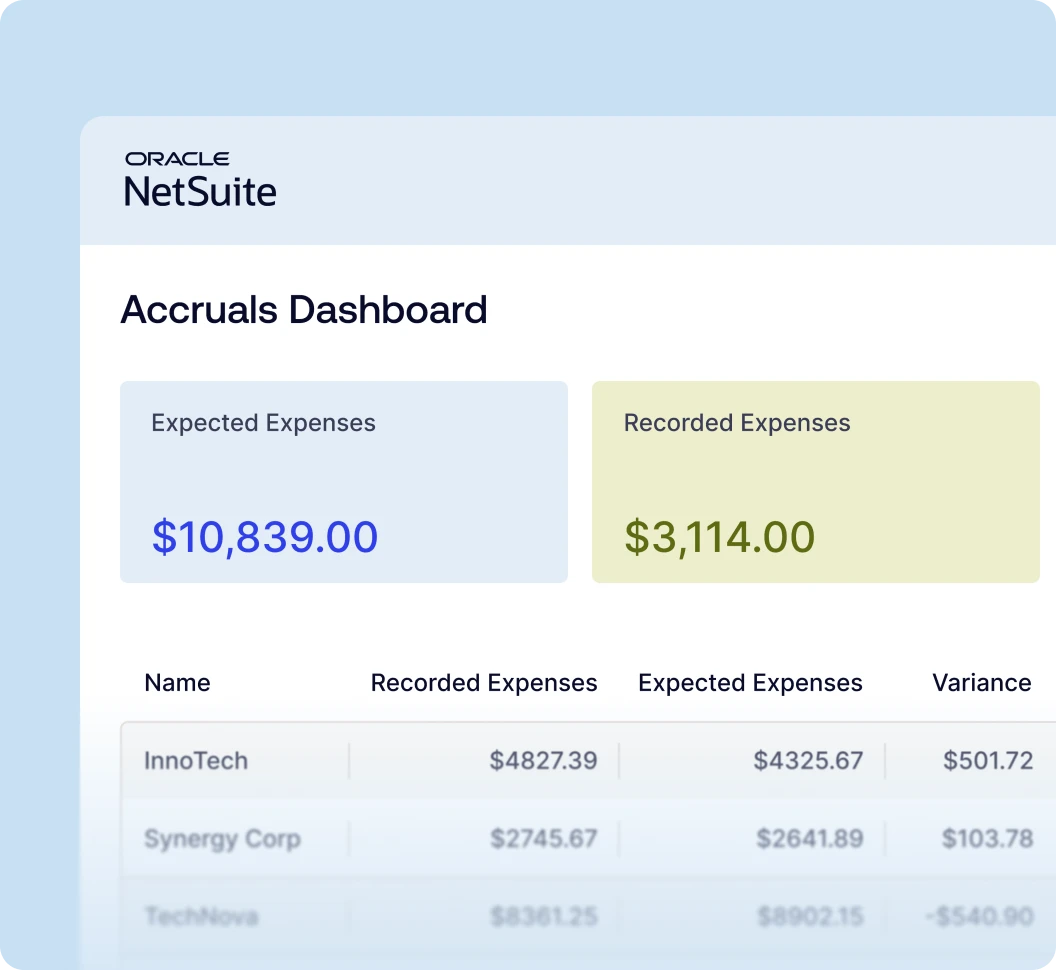
NetSuite-native architecture & compliance
Operating entirely within NetSuite ensures real-time data access, no external systems or API complications, complete GAAP compliance support, and comprehensive audit trails. Leverage your existing NetSuite security and workflow models into data you can trust.
How does Charted Accrual Automation support GAAP compliance?
Every accrual posts as a standard NetSuite journal entry with a complete audit trail: basis, reviewer, approver, and reversal date. Expenses stay in the period they were incurred, which is what the matching principle requires, and each accrual reverses automatically the following period, so period boundaries hold up under audit.
How Charted calculates accrual estimates
No more emailed estimates or manual spreadsheets. Charted builds accrual estimates from the data that already lives in your NetSuite account, in three ways.
| Accrual scenario | Where the estimate comes from | Typical examples |
|---|---|---|
| Recurring expenses | A 3-month rolling average of the vendor’s transaction history the estimate comes from | Utilities, SaaS, contractors billed in arrears |
| PO-based accruals | Terms and amounts pulled from open purchase orders, with amounts pro-rated between start and end dates | Rent, retainers, fixed-fee agreements |
| Pending approvals | Transactions already in NetSuite awaiting approval | Invoices received but not yet approved at close |
Recurring expenses: the 3-month rolling average
Most accruals cover vendors who bill in arrears. The invoice for June work arrives in July, but the expense belongs in June, and someone has to put a number on it before the books close. In a manual process, that number comes from memory, a quick email, or last month’s spreadsheet. Charted replaces the guess with the vendor’s own record: a rolling average of the last three months of transaction history. If spend has been steady, this month’s accrual starts at that number. If it’s been climbing, the average climbs with it. Three months is long enough to smooth out a one-off spike, and short enough to track what the vendor charges you now, not a year ago. The average recalculates every month, so the estimate is grounded in what the vendor actually bills, not what someone remembers them billing.
Contract-based accruals: terms pulled from purchase orders
When a purchase order exists, there is nothing to guess at all. Charted reads the terms directly from the open PO: the amount, the schedule, and what has been received against it. Rent, retainers, and fixed-fee agreements accrue at the contracted amount, pro-rated between the PO’s start and end dates. Partial delivery is handled correctly, because the accrual covers goods and services received but not yet invoiced, which is the number auditors actually test. The third scenario, pending approval transactions, works the same way: invoices already in NetSuite but not yet approved are picked up automatically, so nothing sitting in an approval queue gets missed at cut-off.
Review, post, reverse: what happens to the numbers
Every estimate ends in a consolidated review worksheet before anything touches the GL. You see each proposed accrual, what it was based on, and how it compares to prior periods. Adjust any line or accept the set. On approval, Charted creates the journal entries in NetSuite and routes them through your existing approval workflow. When the actual invoice processes, Charted reverses the accrual automatically: no tracking spreadsheet, no double-counted expense, and an unbroken audit trail from estimate to reversal. Multi-entity and multi-currency environments are supported throughout.
Where accruals sit in the month-end close
Accruals sit right in the middle of close. Reconciliation, reporting, and variance analysis all wait until they post.
01
Cut-off
AP invoices processed, approvals done, subledgers up to date.
02
Accruals
Estimates built, reviewed, and posted for expenses with no invoice yet.
03
Reconciliation
Accounts tie out with accruals included, not bolted on after.
04
Reporting
Financials reflect the full expense picture for the period.
05
Reversal
Accruals reverse automatically as actual invoices arrive next period.
Accruals can’t post until the upstream work is done: invoices processed, approvals cleared, subledgers up to date. Charted AP Automation handles that part, which is how the accrual step can start on day one of close instead of day three. And once accruals are in, the rest of close can actually move: reconciliations tie out, reports show what was really spent, and last month’s estimates clear themselves out through automatic reversals. In most teams, this step, not invoice volume, is what decides how long close takes. Speed it up, and everything behind it speeds up too.
What Accrual Automation covers
Charted Accrual Automation runs in every configuration NetSuite supports: multi-entity, multi-subsidiary,
multi-currency, in a single close run.
What runs automatically
- Recurring vendor expenses, calculated from a rolling 3-month average of bills and journal entries posted for that vendor
- Open purchase order lines, prorated evenly across the start and end dates on the PO
- Bills and journal entries pending approval, for transactions dated in previous periods
- Multi-entity and multi-subsidiary accruals in a single close run
- Journal entries with GL account, department, class, location, and entity assignment, plus supporting documentation
- Automatic reversal in the following period when the actual invoice posts
Where a controller stays in charge
- Nothing posts without reviewer sign-off. Automation handles the volume, while the controller ensures there is human review and acceptance.
- PO accruals only read POs in approved status, so unvetted commitments never post to the GL.
- Spend that is genuinely non-linear, like milestone or seasonal billing, gets a controller adjustment on the worksheet for maximum accuracy.
Accrual Automation for NetSuite
Frequently asked questions
Charted is built as a native SuiteApp that analyzes historical vendor patterns, pending transactions, and open purchase orders to automatically generate intelligent accrual estimates directly within your NetSuite environment—no external integrations required.
The system automates three primary accrual scenarios: regular recurring expenses from vendors who bill consistently, contract-based accruals for long-term agreements using PO details, and pending approval transactions that haven’t been recorded yet.
For recurring expenses, the system analyzes the past three months of transaction history to create rolling average estimates. For contract accruals, it uses purchase order information with defined time periods to calculate appropriate amounts based on contract terms.
Yes, the system presents all potential accruals in a consolidated worksheet where you can review, confirm, and make real-time adjustments to estimates before creating journal entries. Accrual Automation gives you complete control over the final amounts.
Yes, when actual invoices are processed in NetSuite, the system automatically reverses corresponding accrual entries to prevent double-counting, eliminating manual reconciliation work while maintaining accurate financial statements.
Yes, as a NetSuite-native solution, Charted leverages NetSuite’s built-in multi-currency and multi-entity capabilities, supporting complex organizational structures with multiple subsidiaries, currencies, and accounting periods within a single system.