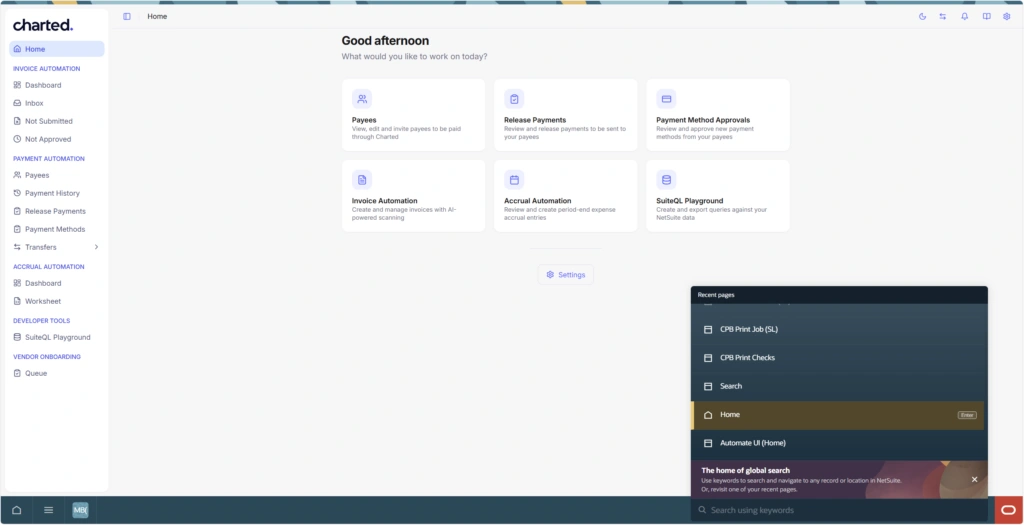
Last month, we said the new Charted look laid the groundwork for major improvements to Invoice AI and Vendor Onboarding. Today, those improvements are here, built directly from customer feedback and available in the new Charted interface.
A more flexible, collaborative inbox
The Invoice AI inbox now works the way your team does:
- Customizable columns. Administrators can show, hide, and reorder columns for the whole team. Easily add custom columns from the invoice, linked vendor, or linked Purchase Order, all from Charted Settings.
- Segmented views. Restrict which invoices each user sees based on their subsidiary access, the invoices assigned to them, or both. Multi-subsidiary organizations get clean, role-appropriate views without manual filtering.
- Comments and @mentions. Leave threaded comments directly on any invoice and @mention teammates, who are notified in-app and by email. Invoice conversations now live on the invoice, not in email threads, individual chats, and spreadsheets.
- Invoice labels. Apply custom color-coded labels like “Waiting on vendor” or “High priority” in any combination. Labels layer on top of inbox statuses for flexible, low-friction tracking. Learn how to set up your first label here.
- Preview the bill and make corrections. Preview the invoice document and even make corrections to the linked vendor or PO, all without ever leaving the inbox.
Vendor onboarding that scales
Onboard vendors with confidence and speed through our new onboarding experience.
- New onboarding queue. One place in the SuiteApp to track and act on your vendor onboarding process. Quickly see at a glance the current state of new vendors being onboarded, making sure nothing is missed. Want to learn more? Refer to our documentation.
- Bulk vendor onboarding. Onboarding multiple vendors together? We now have you covered. Through our new onboarding queue, you can easily start and send onboarding forms in bulk, letting you move faster than ever before.
- Ongoing payment method sync. Payment Automation customers leveraging Advanced Vendor Onboarding now have the option to collect domestic ACH and Check payment method updates. Instead of having a separate flow for bank updates, you can lean on your existing Advanced Vendor Onboarding flows to manage the entire lifecycle.
Getting access
Everything above is available in the new Charted interface. If you haven’t switched yet, click the blue Try the new Charted look button in the upper right corner of the app. The new vendor onboarding capabilities are included for all customers on the Charted SuiteApp. Administrators can grant team members access to the onboarding queue with the View Vendor Onboarding Dashboard permission in Charted Settings.
Have questions, or not yet benefiting from our modern SuiteApp? Schedule a consultation with our team of NetSuite and AP automation experts—we’re happy to walk through what to expect.
NetSuite Next is coming soon
On July 15, 2026, NetSuite announced the beginning of the rollout of NetSuite 2026.2, which will include NetSuite Next. NetSuite Next is the next generation of NetSuite, with AI built into its core. Customers in the United States and Canada will be first to access NetSuite Next, with other countries to come at a later date.
Once your NetSuite account is updated to 2026.2, your NetSuite administrator will see a banner enabling them to request a preview account or activate NetSuite Next.
Charted is happy to announce we are the first native AP automation solution to be NetSuite Next Certified. Our application is fully compatible with NetSuite Next.