Vendor Automation for NetSuite
NetSuite vendor management, from vendor setup to contract renewal
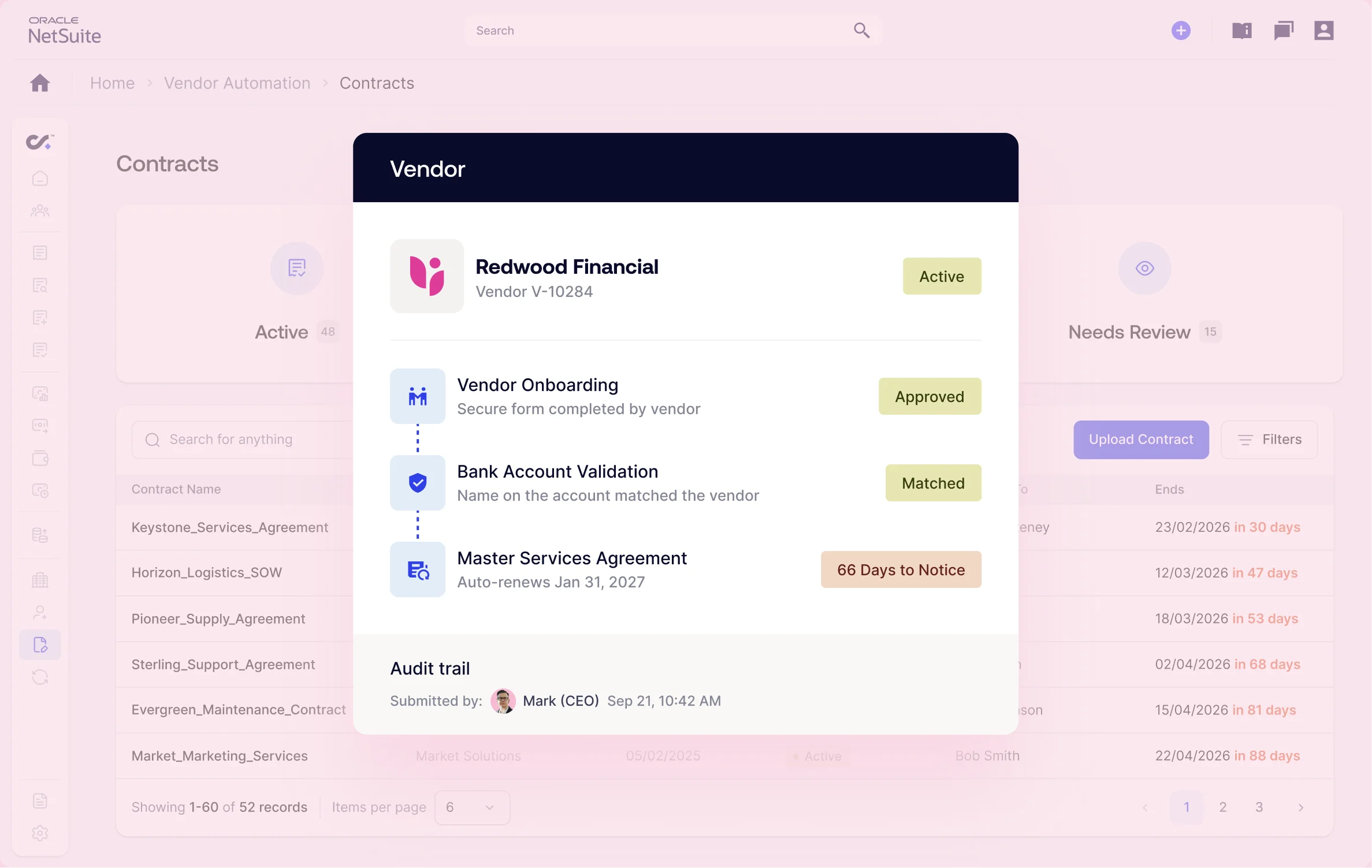
Set up vendors through secure forms, validate bank account changes before payments go out, and track every contract renewal with alerts so you can cancel on time. Charted keeps vendor data accurate and vendor fraud out, all inside NetSuite.


Why Vendor Automation
Why finance teams automate vendor management in NetSuite
Manual vendor setup costs your team time. Fake bank changes and forgotten auto-renewals cost you money.
Advanced Vendor Onboarding
Manual vendor setup slows AP teams down
Chasing W-9s and retyping bank details is slow and error-prone.
Vendors fill out secure forms. Your team just approves.
Vendor Fraud Prevention
Fake bank change requests redirect vendor payments
Fake bank-change emails can send your next payment to a fraudster.
New bank details are checked automatically before approval.
Vendor Contract Intelligence
Missed auto-renewals waste software and service spend
Auto-renewals hide in shared drives until the invoice shows up.
Renewal alerts arrive while you
can still negotiate or cancel.
Vendor fraud statistics
Vendor fraud is on the rise. Charted is here to stop it.
$3.05B
in reported U.S. business email compromise losses in 2025 FBI IC3 2025 Internet Crime Report
74%
of U.S. organizations were targeted by business email compromise in 2025, according to an AFP payments survey
58%
success rate for the FBI’s rapid fund-freezing process, according to FBI’s IC3 report
How Vendor Automation works
How NetSuite vendor management works with Charted
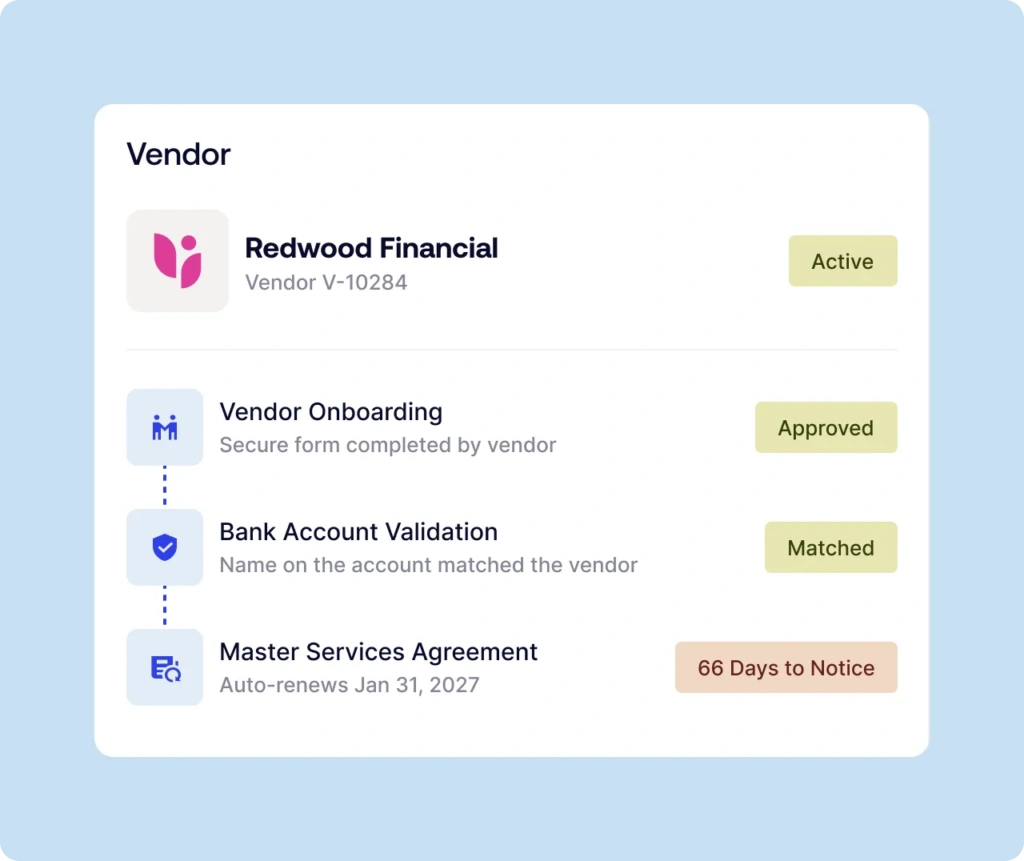
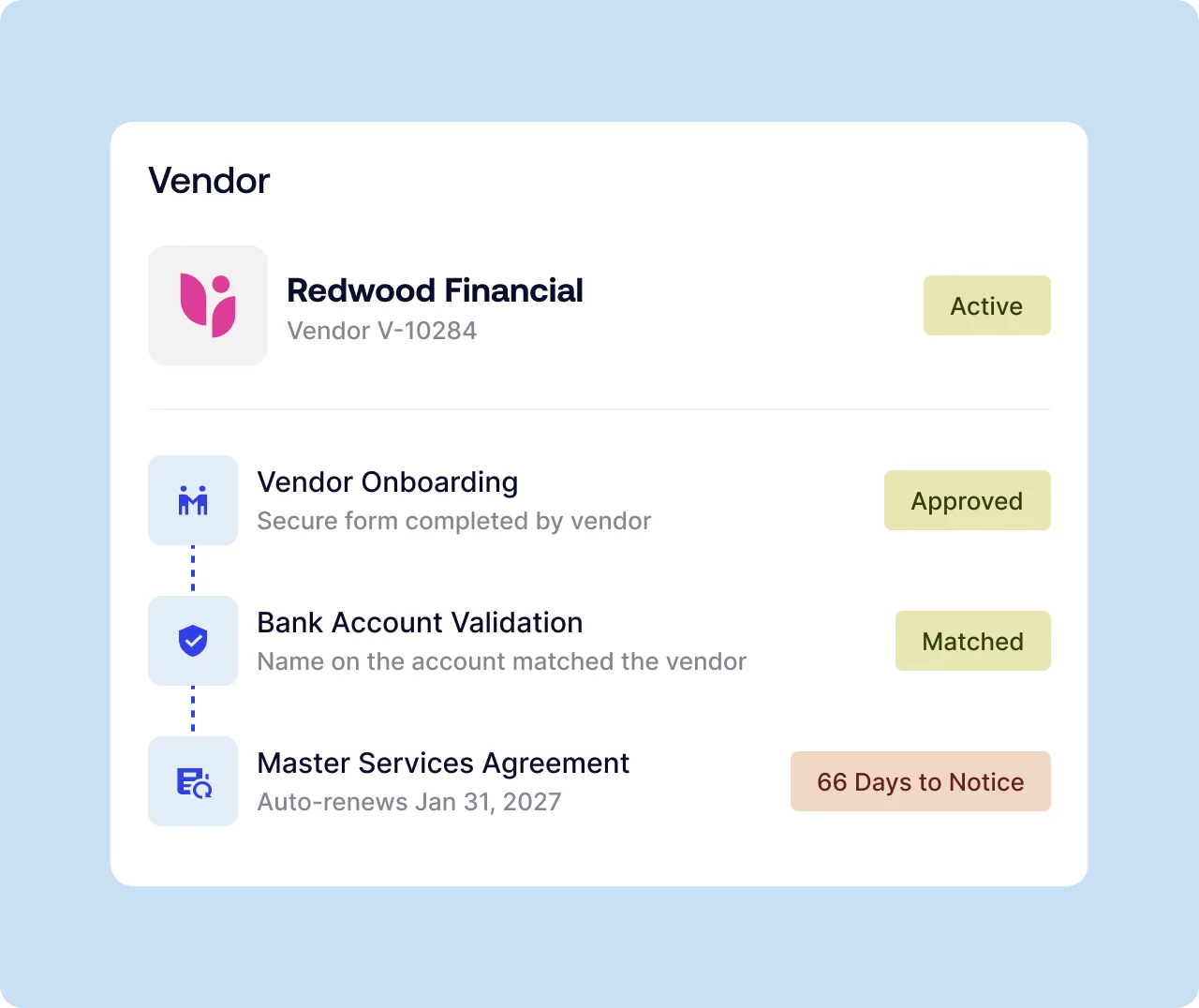
Charted Vendor Automation is a NetSuite-native SuiteApp that onboards vendors through secure forms, validates bank account changes before payment, and tracks contract renewals on the vendor record.
Advanced Vendor Onboarding
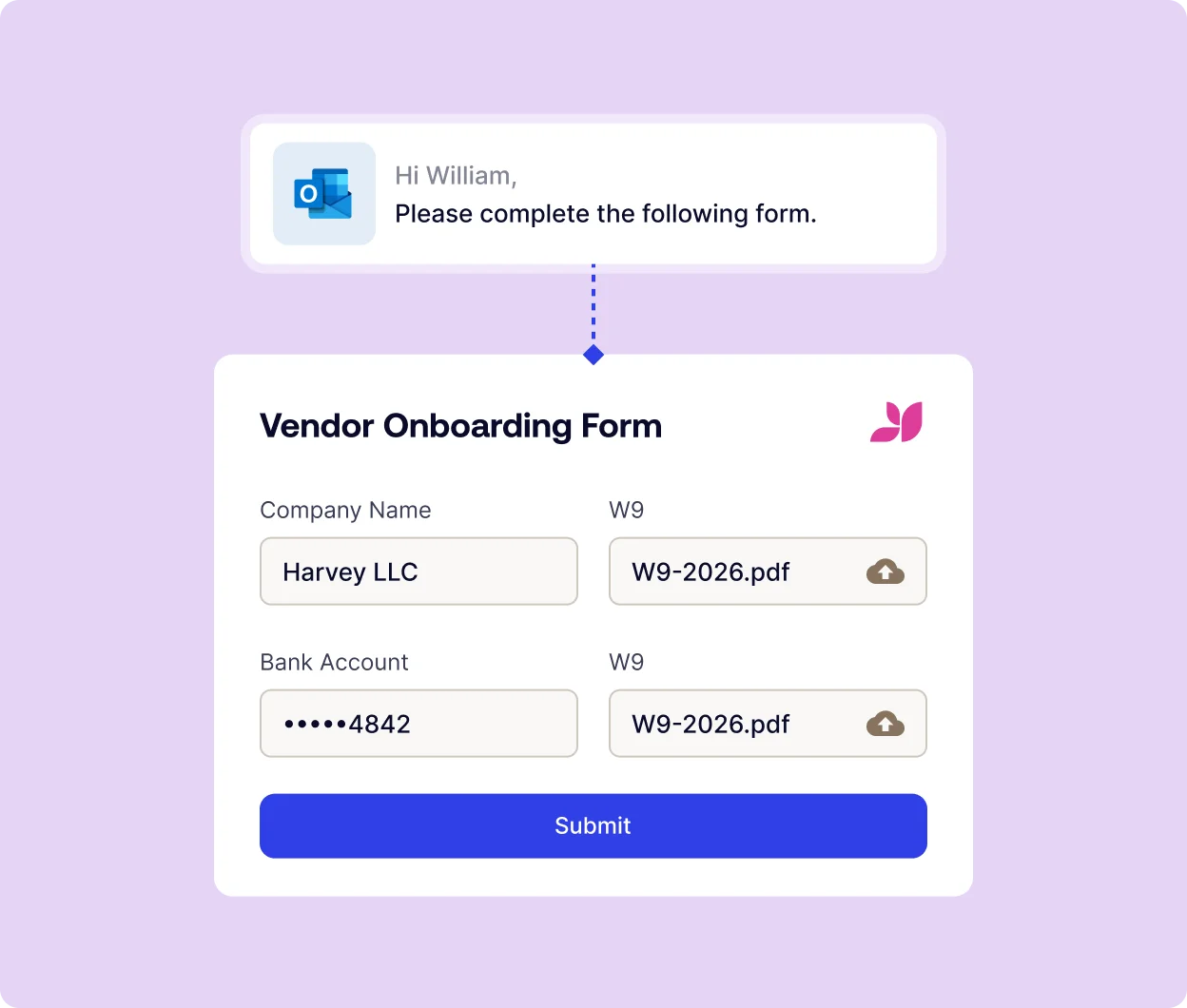
Onboard vendors in NetSuite without manual data entry
Send branded, secure forms straight from NetSuite. Vendors enter their own tax, banking, and compliance details, and your team approves before anything is saved. Request W-9s, banking details, insurance, and custom documents in one form. Add approvals that don’t need a NetSuite license.
Vendor Fraud Prevention
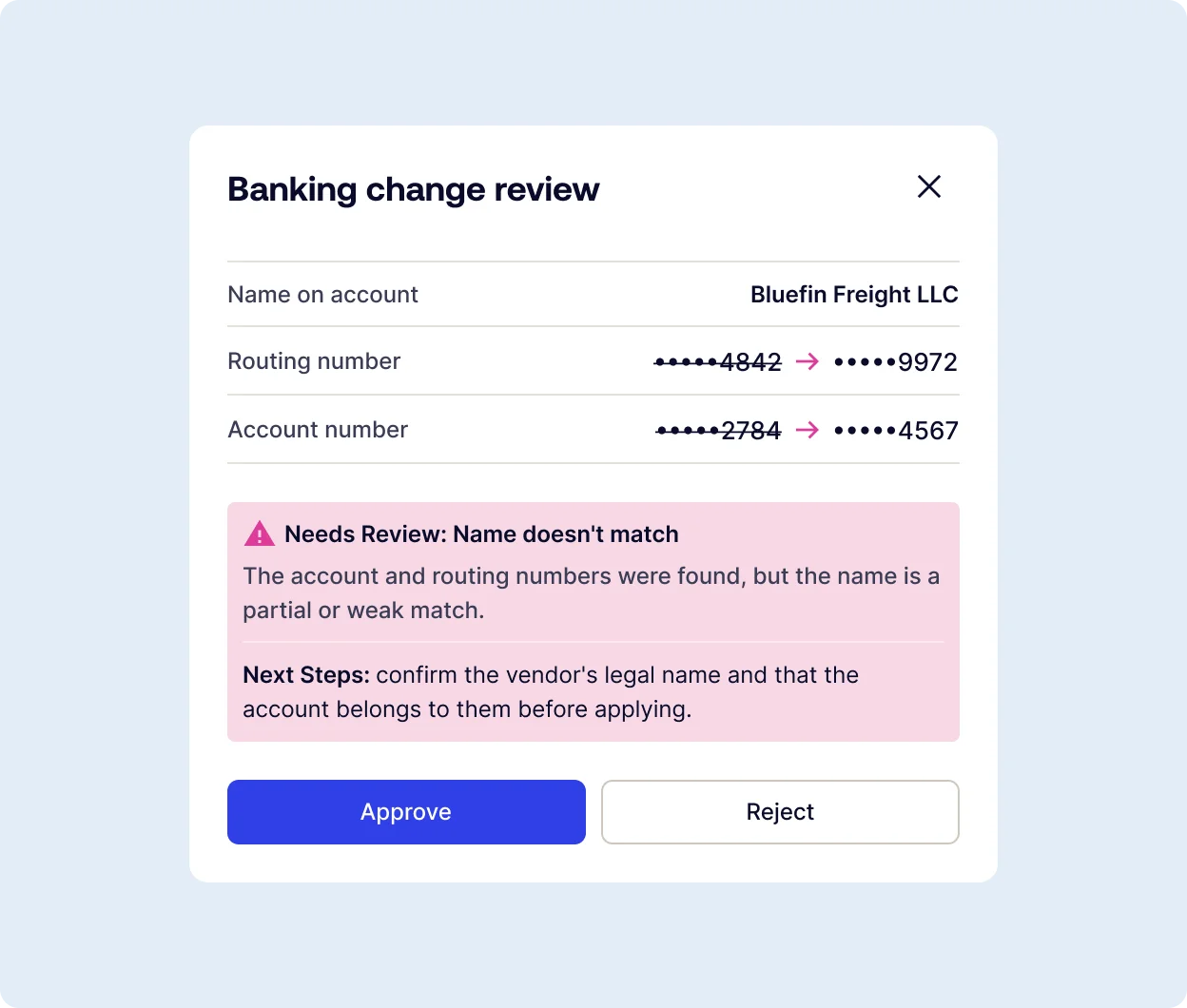
Catch risky banking changes before they’re approved
Every time a vendor submits new banking details, the account and routing numbers are verified to ensure they line up, while ensuring that the account matches your vendor. Results come back in seconds, with clear next steps for your reviewer. Validations run automatically on every banking submission. Your team stays in control of every decision.
Vendor Contract Intelligence
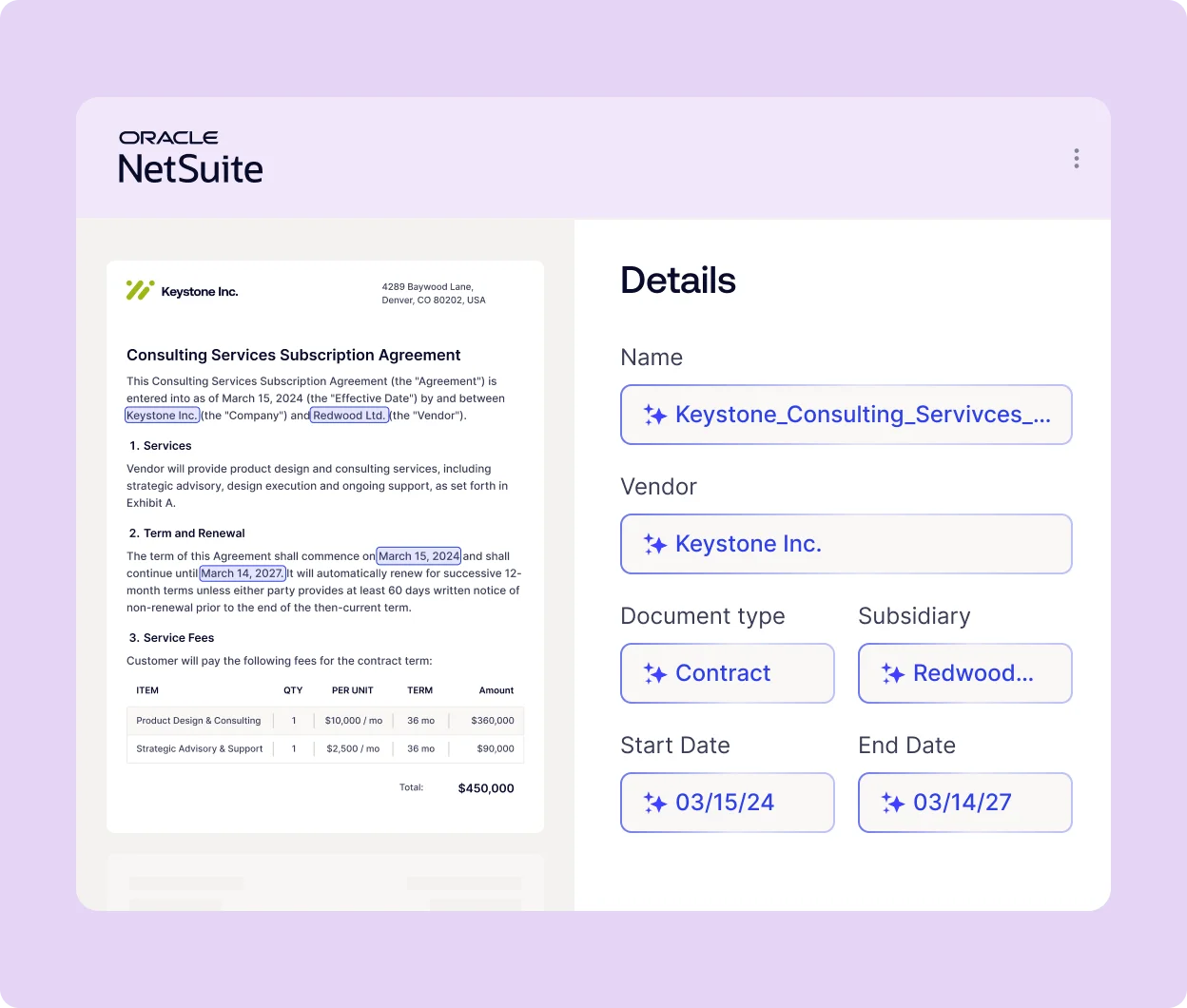
Turn every contract into a renewal plan
Drop agreements into NetSuite and Charted AI agents file each one against the right vendor, pull out the terms that matter, and highlight exactly where each one came from. One searchable home for every contract with the ability to check any term against the contract in one click. Every contract that renews is given a renewal plan so you can stay on top of every contract renewal and cancel on time for anything you don’t need.
Customer success story


Vendor Automation is part of the Charted AP Automation Suite
Clean vendor data makes every AP step faster and safer
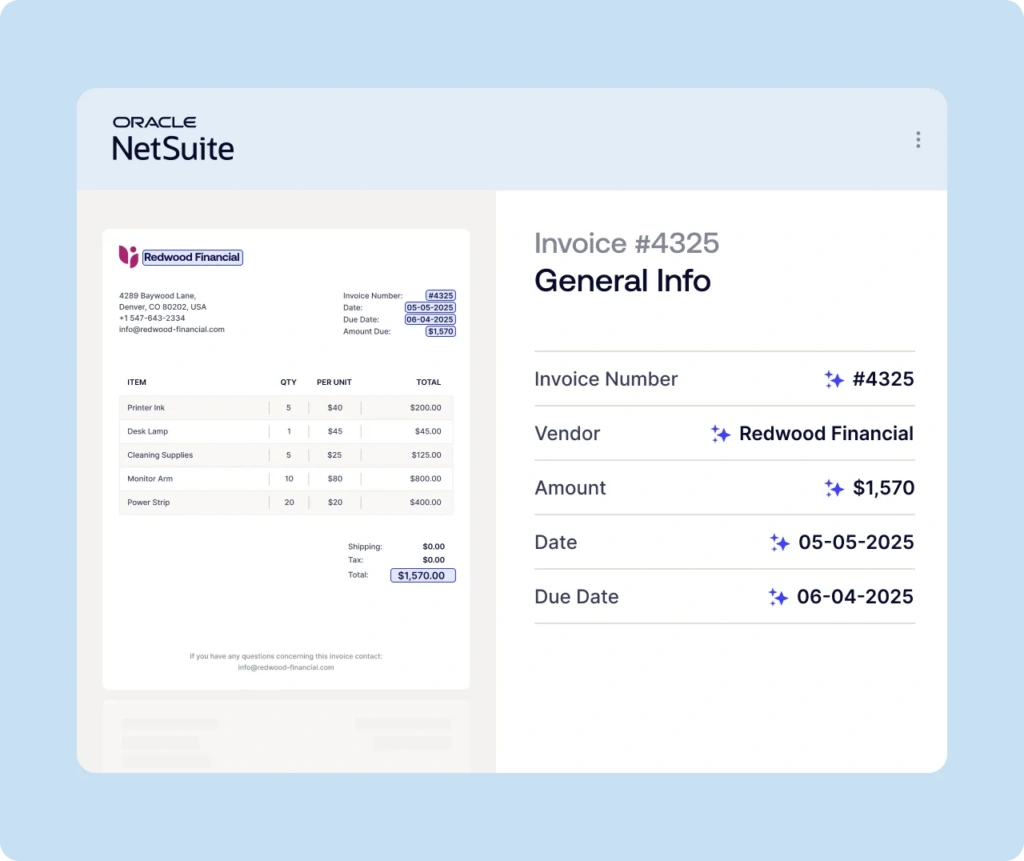
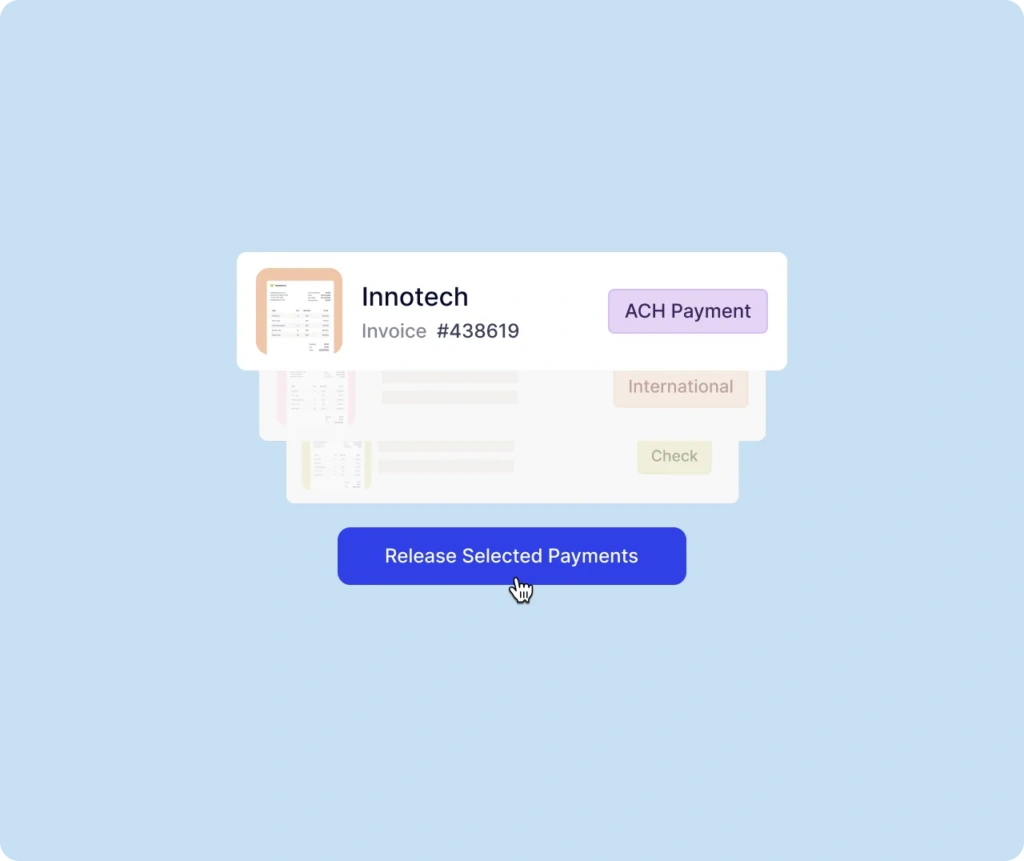
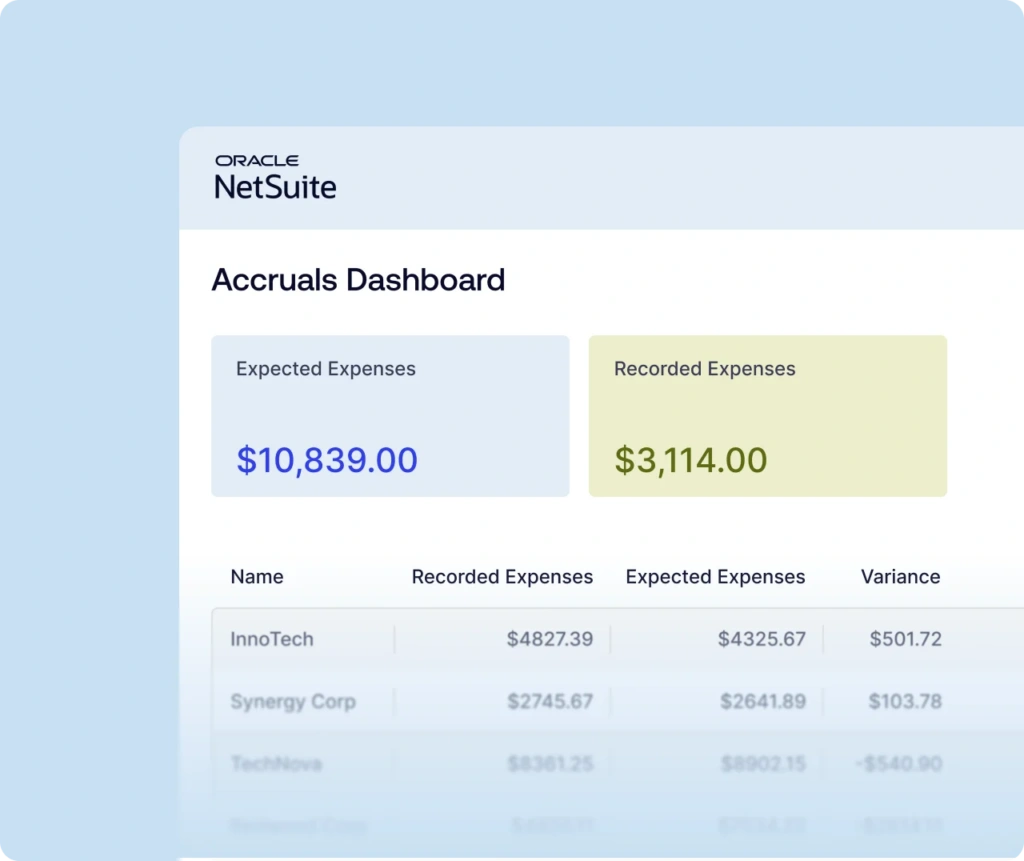
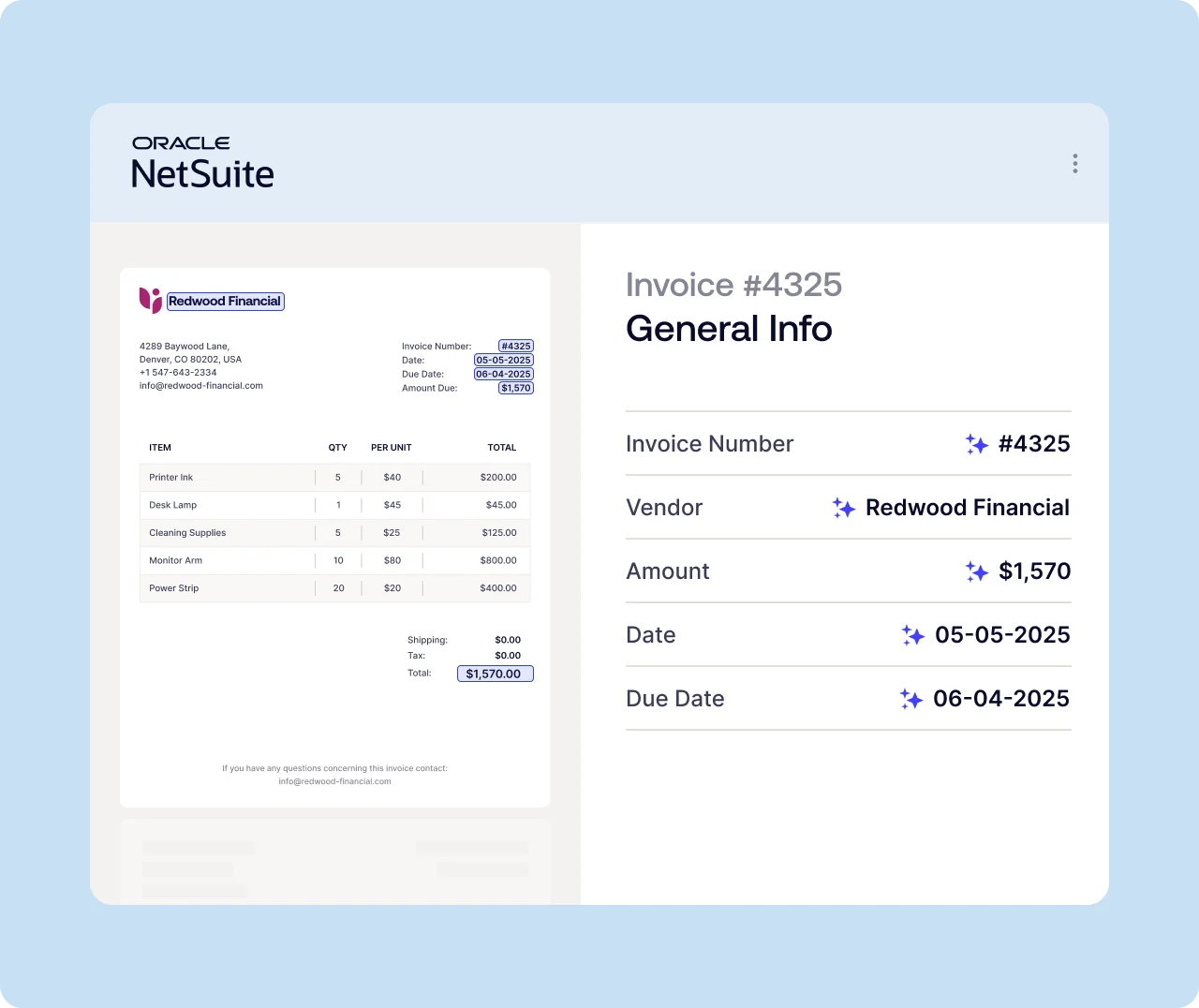
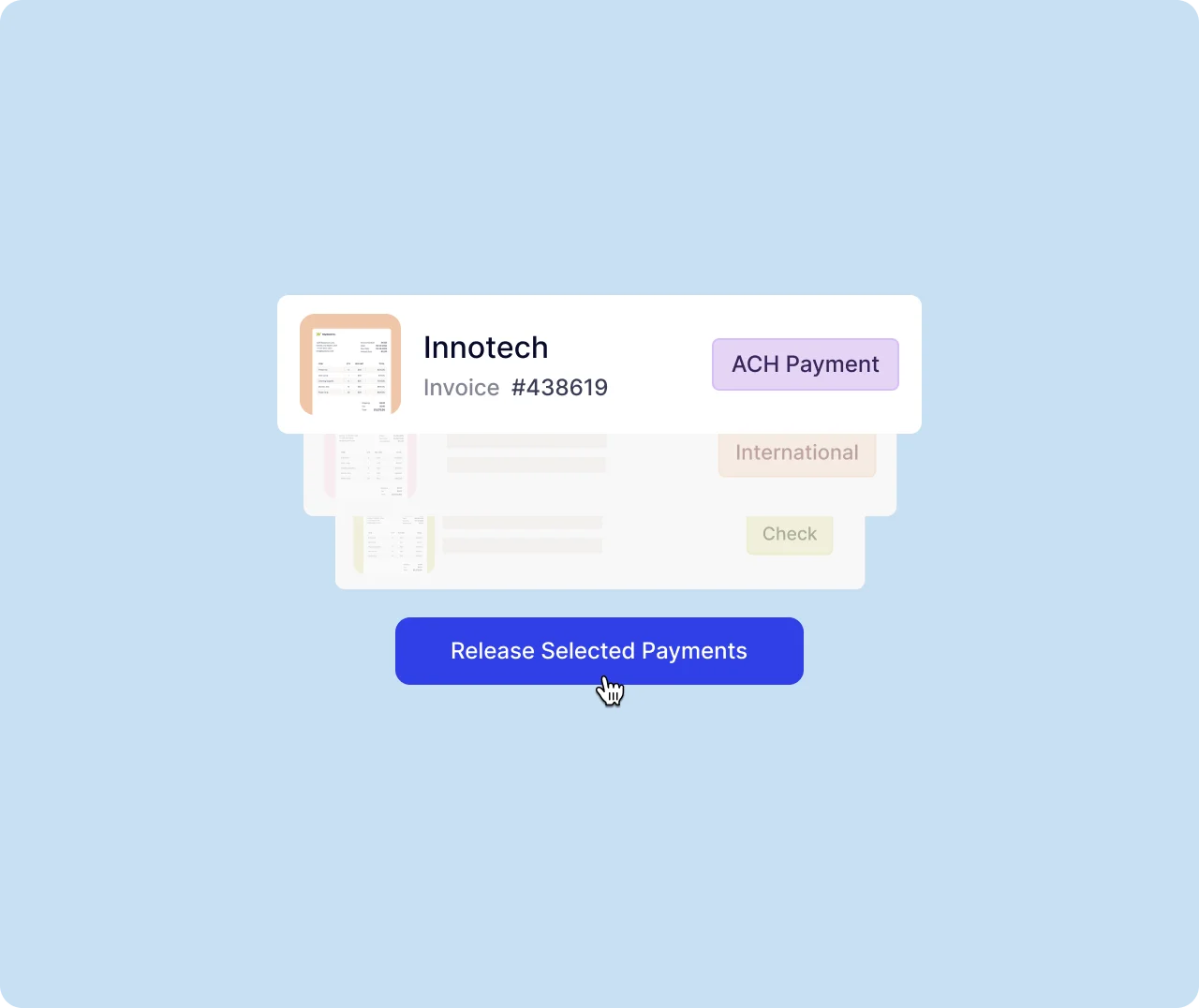
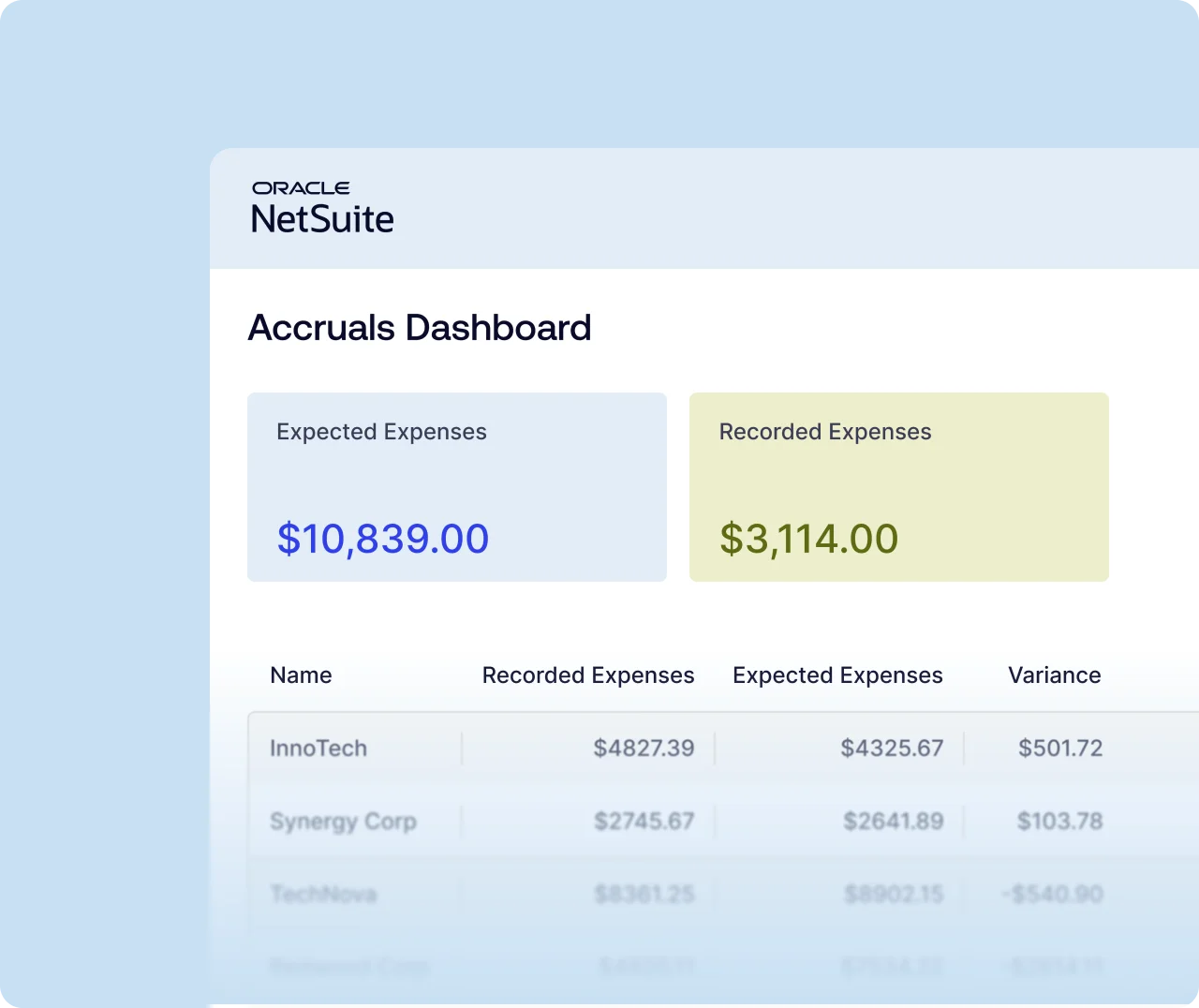
Invoice capture, real-time 3-way match, approvals and payments all act on the vendor record. Vendor Automation keeps it accurate with contracts right next to the spend they govern.
Onboard vendors, validate banking details, and manage contracts and renewals
Capture invoices with AI, match and approve invoices with real-time 3-way match
Capture invoices with AI, match and approve invoices with real-time 3-way match
Capture invoices with AI, match and approve invoices with real-time 3-way match
Charted Vendor Automation
Frequently asked questions
Can’t find what you’re looking for? Talk to our team.
No. Vendors complete secure forms from an emailed link sent through Charted Advanced Vendor Onboarding. The vendor response is sent directly to your NetSuite instance for your team to review, no portal or password required.
Whenever a vendor submits new or updated banking details, Charted Vendor Automation checks the account and routing numbers are found and are consistent with each other. It also checks the name on the account matches the vendor. Your reviewer sees the result in NetSuite before approving the change.
Every term extracted by Charted Contract Intelligence is highlighted where it appears in your contract, so any NetSuite user can check it against the original source in one click.
Nacha’s rules call for risk-based processes to identify fraudulent payments, including vendor impersonation. Vendor Automation supports those processes by validating banking changes before they’re approved. Confirm your specific obligations with your bank.
No. Vendor Automation is a native SuiteApp, so it works inside NetSuite with your existing roles and permissions, and there’s no data to sync.
Vendor Automation is included in the AP Automation Core and Complete editions, and is also available as an add-on. See pricing or talk to our team to find the right fit.