Vendor Fraud Prevention
Vendor fraud prevention in NetSuite. Don’t pay the wrong people.
Charted Vendor Fraud Prevention validates every vendor bank account submission in NetSuite before a reviewer approves the change. It confirms the routing and account numbers match each other and that the name on the account matches the vendor, then flags anything that doesn’t line up for review. Everything runs inside your NetSuite account, with no vendor portal and no second login.
Vendor Fraud Prevention
Why vendor payment fraud is so hard to recover from
$3.05B
in reported U.S. business email compromise losses in 2025 FBI IC3 2025 Internet Crime Report
$123K
average loss per reported BEC complaint in the same report. One banking change that nobody called to confirm is enough to get there.
58%
success rate for the FBI’s rapid fund-freezing process, according to FBI’s IC3 report
What Charted verifies
How vendor bank account validation works in NetSuite
Vendor Automation validates every bank account submission in NetSuite, checking the routing number, account number, and account name before a reviewer approves the change.
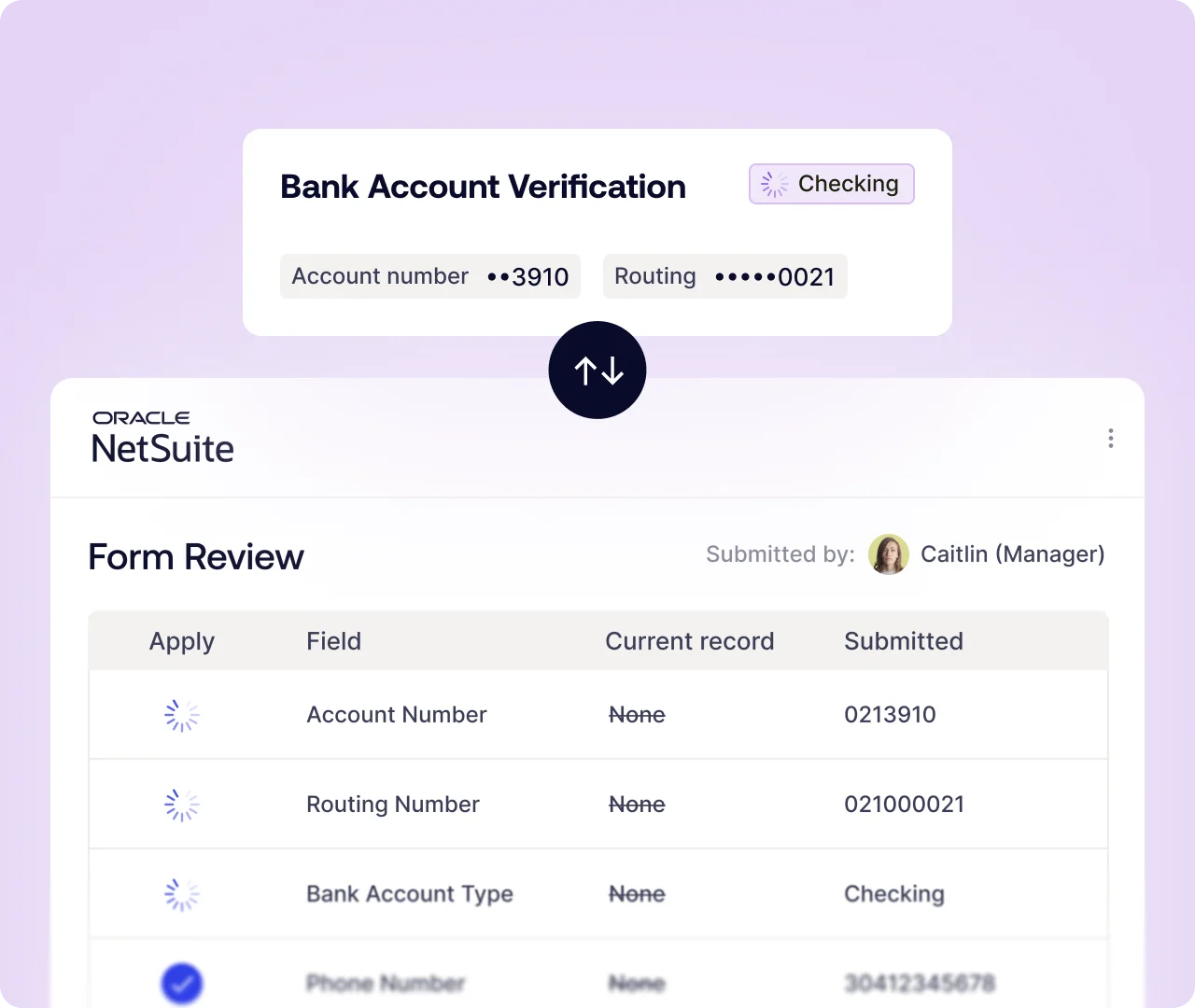
Automatic validation on every vendor bank change
Banking details submitted through a Vendor Automation form are validated automatically, new vendors and updates to existing vendors alike. There is no step for anyone to skip and no queue that builds up when the week gets busy. A callback policy quietly lapses at quarter-end. This doesn’t.
Bank account and routing number matching
Validation confirms the account and routing numbers exist and match each other. An account number that doesn’t line up with its routing number comes back as Needs Review instead of passing into the vendor record and waiting to surface in a failed payment run.
Account name matching against the vendor
Validation confirms the name on the account matches the name the vendor submitted. A mismatch there is one of the clearest signs a request isn’t legitimate, and weak or partial matches are flagged as Needs Review rather than waved through. Results come back before a reviewer approves anything and before the vendor record changes.
Charted Vendor Fraud Prevention
Validation results: Matched, needs review, and not checked
Three results come back with every validation, each with a message, each saying what was checked and what wasn’t. Instead of giving every vendor the same scrutiny, your team makes a final decision on how to proceed.
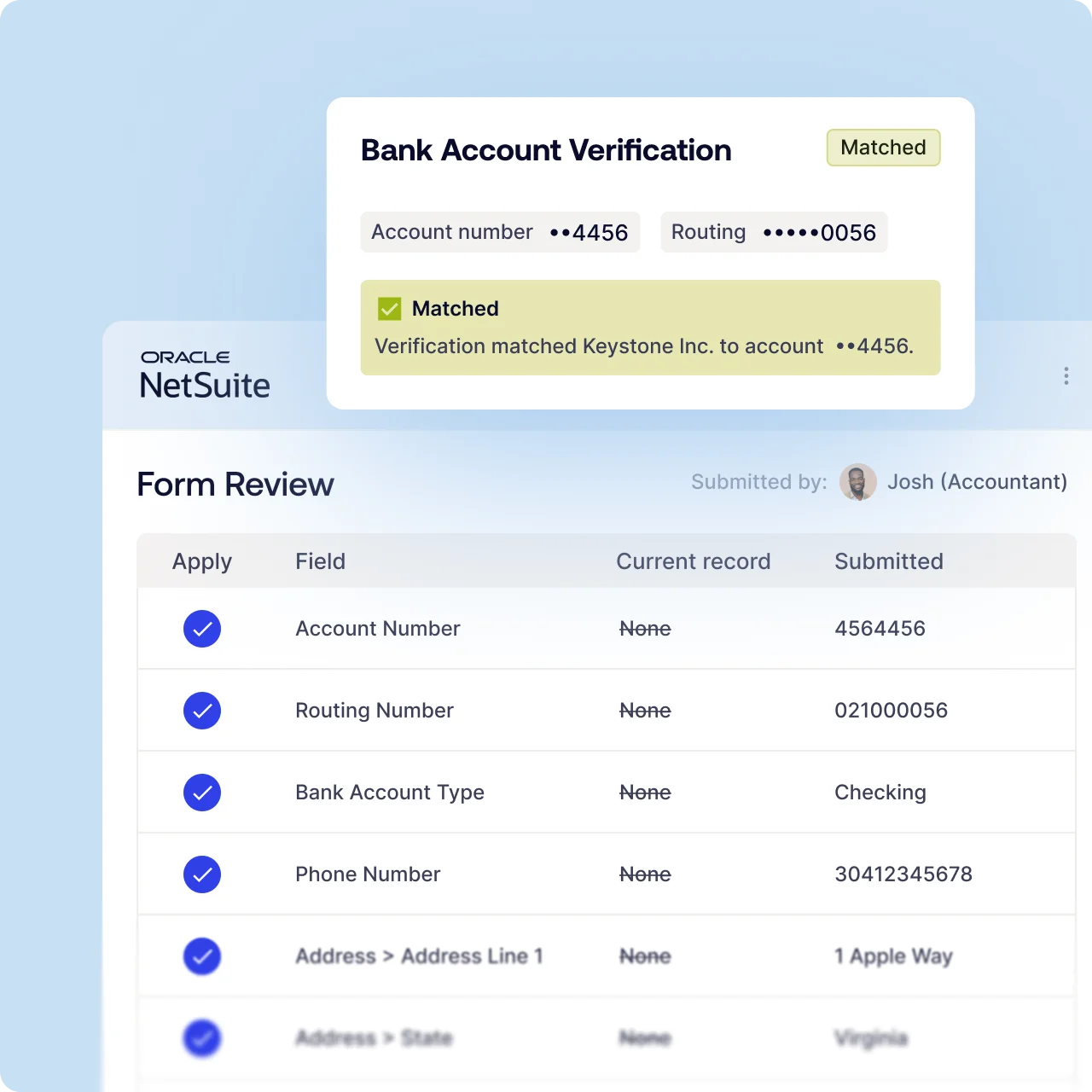
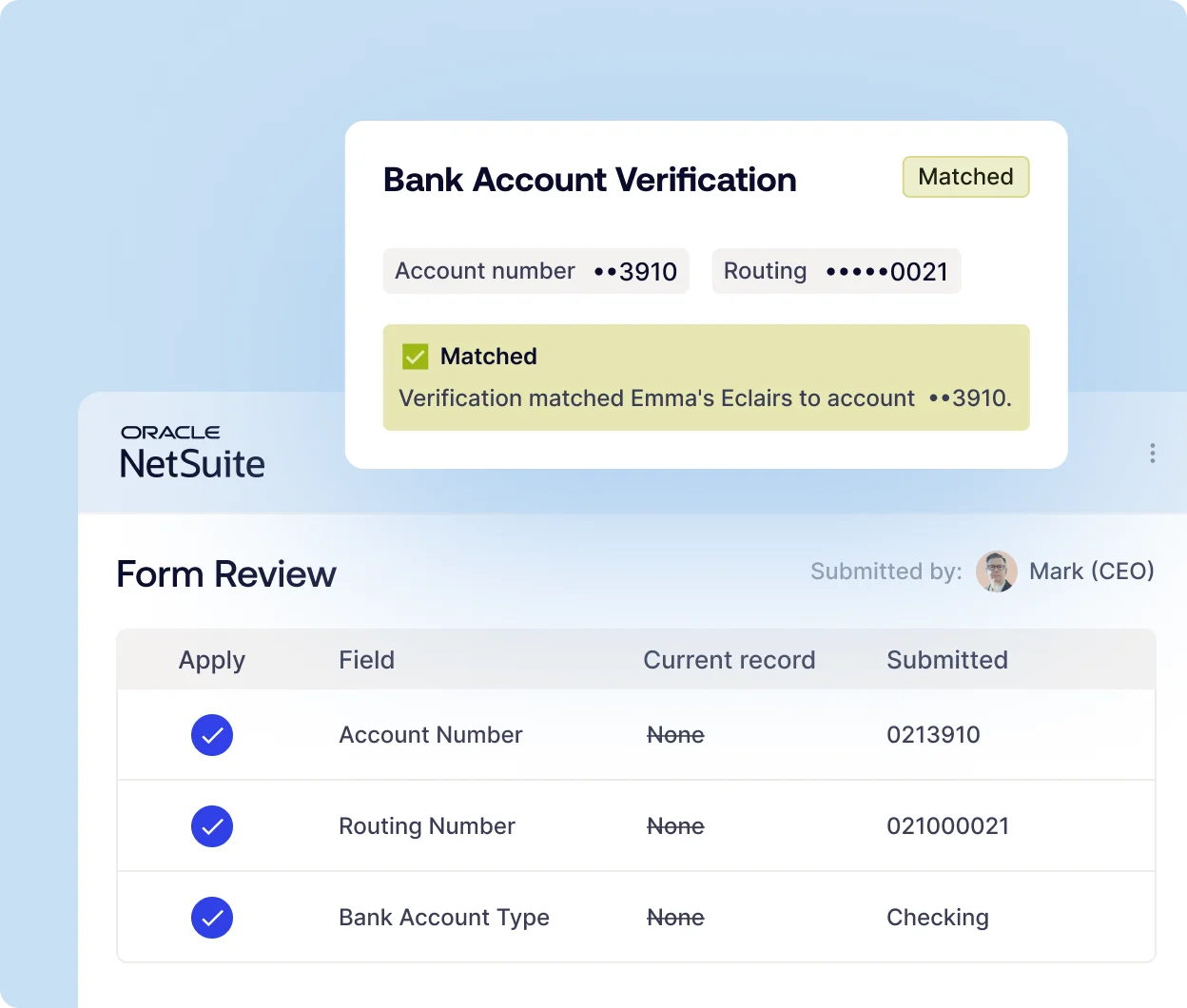
Matched
Account details and vendor name line up
The account and routing numbers check out against each other, and the name on the account matches the name the vendor submitted. It doesn’t tell you the account is open, active, or ready to receive a payment, and it doesn’t approve anything. The reviewer still makes the call, with one less reason to hesitate.
Needs review
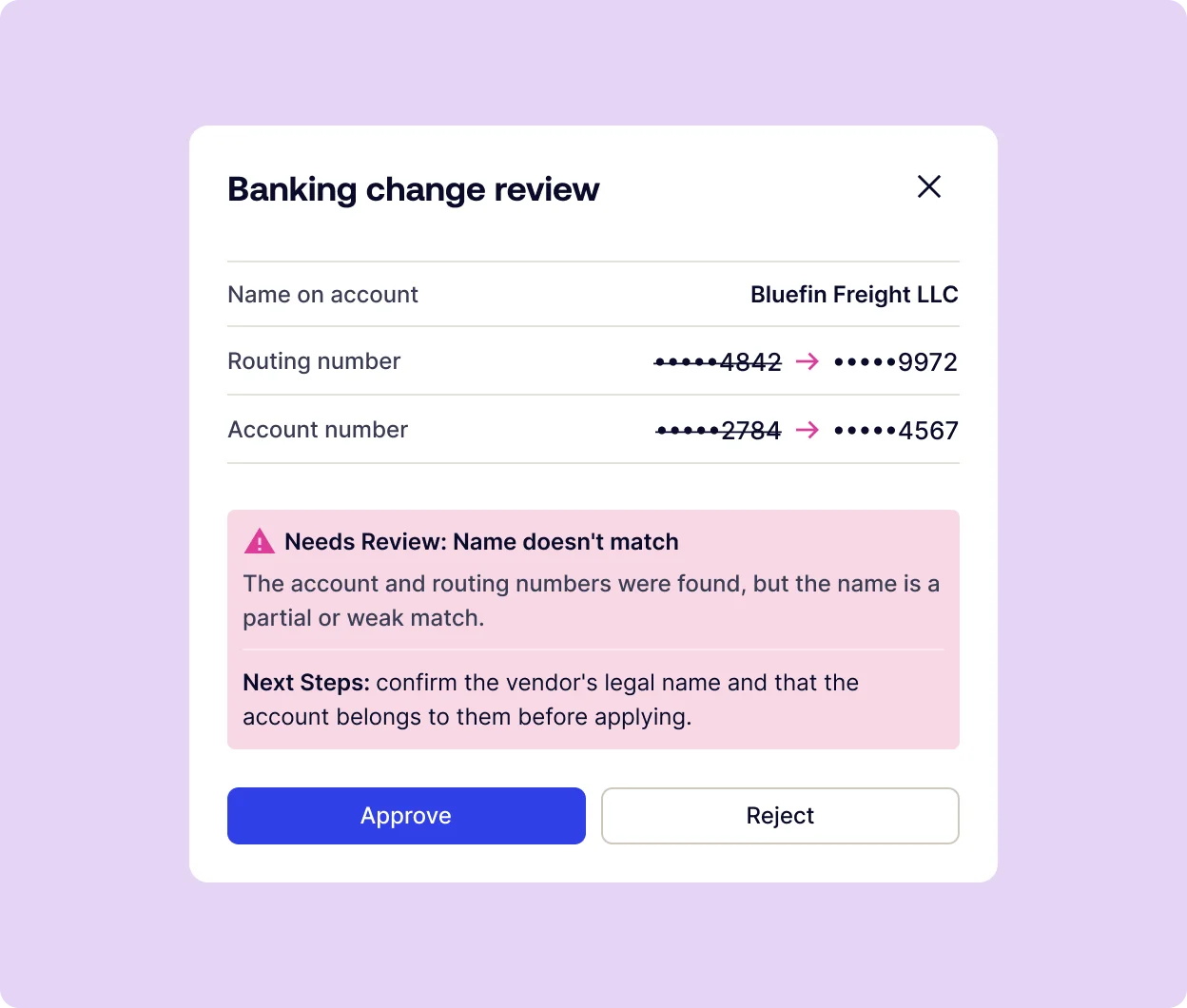
A partial name match or number mismatch
A weak or partial name match, or an account number that doesn’t line up with the routing number. The message says what was checked and what to confirm with the vendor, so the follow-up call is simply a targeted verification. Treat it as a prompt to look closer before the vendor record changes.
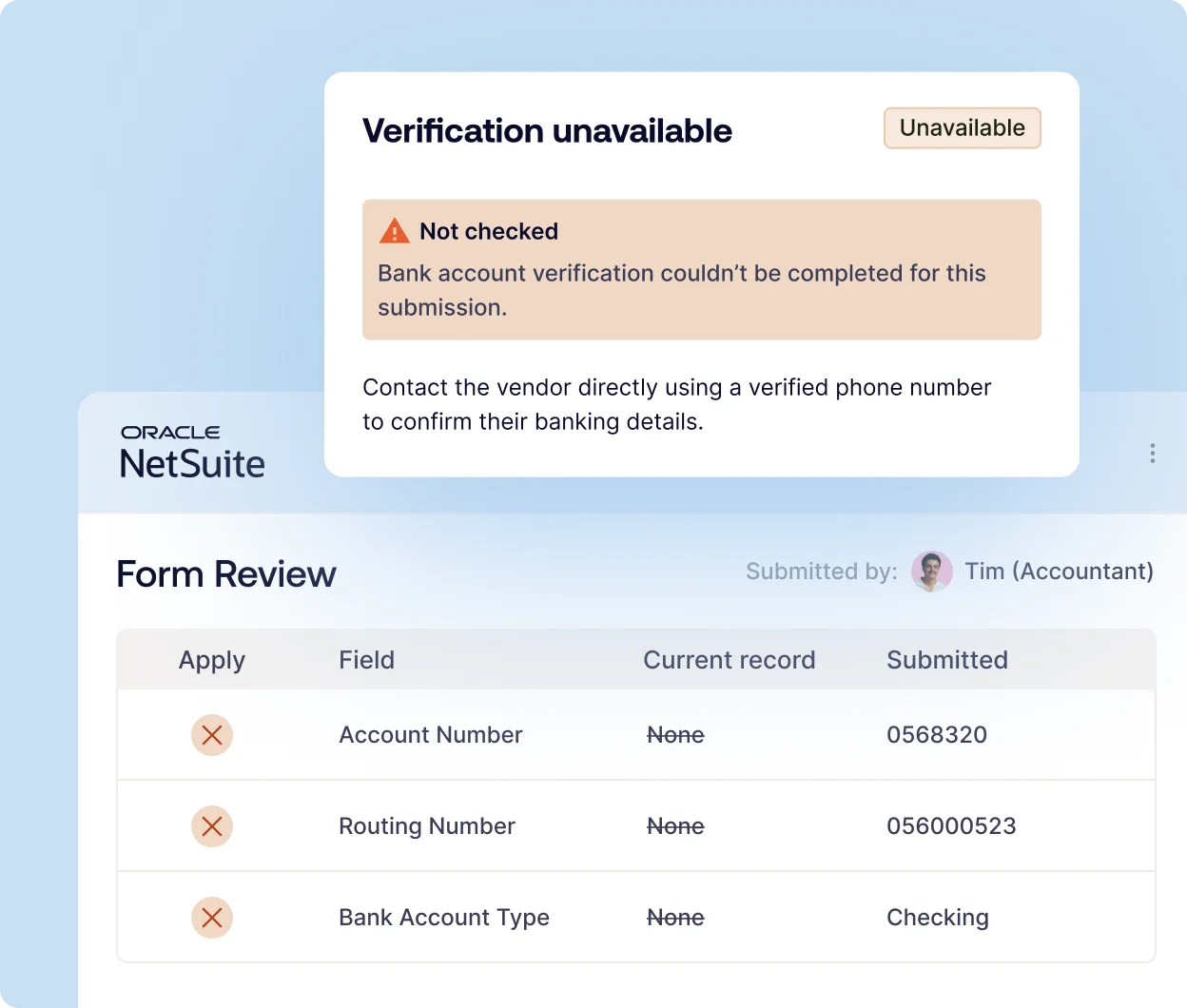
Not checked
Coverage unavailable, call to confirm
Coverage or a name check wasn’t available for that submission. You get told so clearly, and the reviewer falls back to a confirmation call.
Audit trail
For every vendor bank change in NetSuite
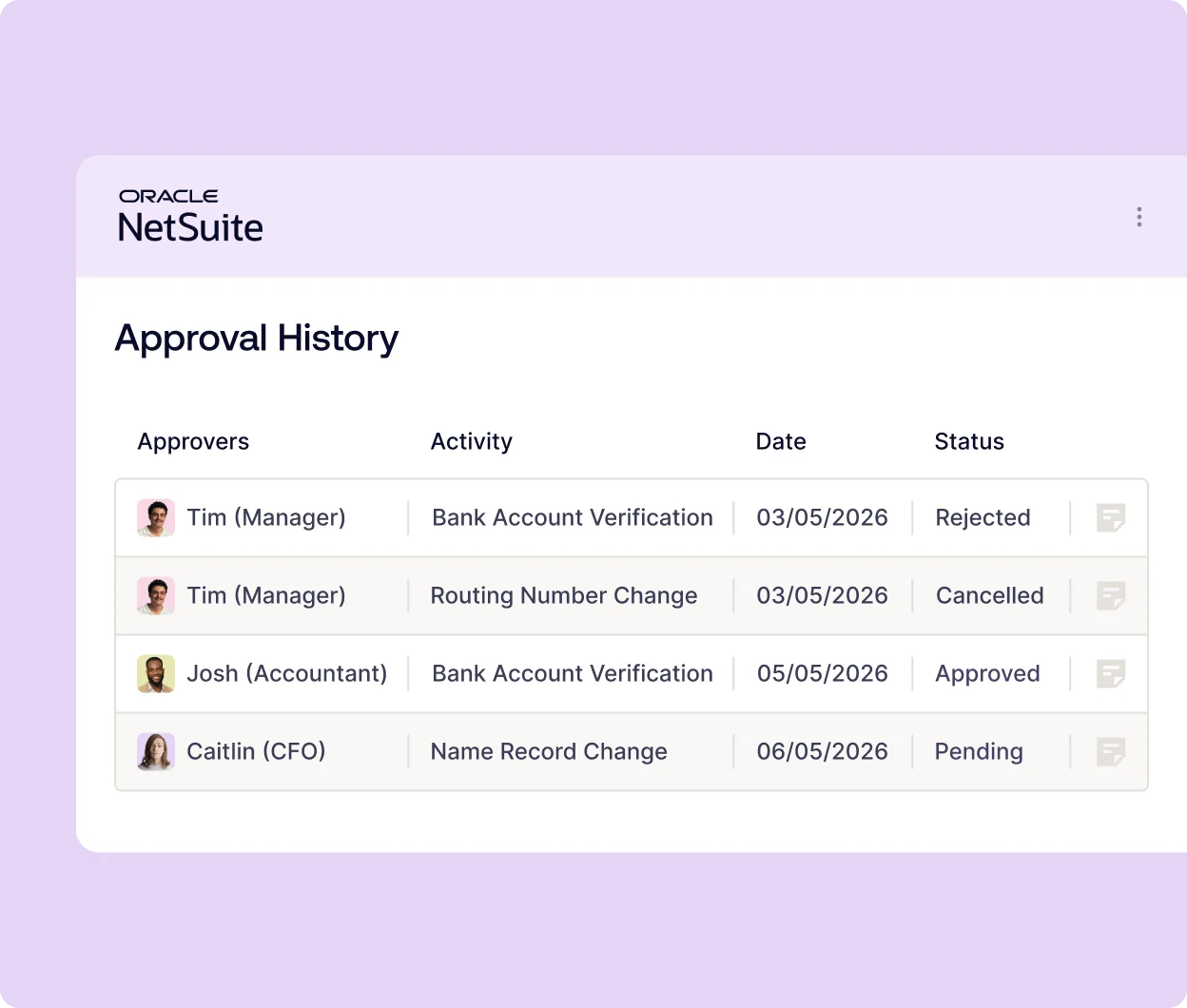
Every banking change is validated and approved before it’s applied, and the record of that lives on the vendor record in NetSuite, in the same native SuiteApp and audit trail as the rest of Vendor Automation. When an auditor asks how banking changes are controlled, you show them submissions and results rather than a policy document and a promise that people follow it.
Customer success story


By role
Safer vendor payments for finance. Nothing new for IT to manage
Bank details submitted through Charted Vendor Automation are validated inside NetSuite before a reviewer approves them. Here’s how that helps each role.
In 2025 the average reported BEC complaint came to about $123K in losses, and once the money has moved, recovery is slow and often fails. Vendor Fraud Prevention validates bank details before a reviewer approves them, so the control runs on every submission instead of depending on whether someone remembered to call the vendor. It runs inside NetSuite, with no separate system and no vendor portal to manage.

Banking changes are validated and approved before they’re applied, and both the validation result and the approval are recorded on the vendor record in NetSuite. When an auditor asks how you control banking changes, you can show the result and the approval for each one rather than a written policy. Because validation runs on every submission, it also supports the risk-based fraud monitoring that Nacha’s rules call for.

When a vendor emails to say they’ve changed banks, you send them the secure form from NetSuite, and it goes to the contact already on file rather than to whoever sent the email. The vendor enters their own details, so there’s nothing to retype, and the account number, routing number, and name are validated before you approve anything. A Matched result lets you proceed, and a Needs Review result tells you what to confirm with the vendor before you apply the change.

Vendor Fraud Prevention is part of a native SuiteApp, so there’s no separate vendor portal, no extra logins, and no data to sync with another system. That means fewer places to attack, and one set of roles, permissions, and audit history for the whole flow. Vendors enter their details through a secure form sent from NetSuite, with no portal account or password to protect.

There’s nothing to install or integrate beyond Vendor Automation itself. Validation runs on the same forms, approvals, and audit trail you already use, so there’s no middleware to maintain, no sync job to monitor, and no second set of users and permissions to manage. Validation results are stored on the vendor record with the rest of the audit trail, so there’s no separate log to keep.






Frequently asked questions
Banking submissions that come through a Vendor Onboarding form are validated for new vendors and updates to existing ones. There’s no threshold, no sampling, and no step for anyone to trigger; validation happens automatically.
Bank validation is currently offered for US bank accounts with additional countries to be added throughout 2026.
Verification times may vary. The result comes back before a reviewer approves anything and before the vendor record changes, which is the only timing that helps. A check that runs after the record is updated tells you what happened rather than stopping it.
A weak or partial match between the name on the account and the name the vendor submitted, or an account number that doesn’t line up with the routing number. The result delivers a message and says what to confirm with the vendor before the reviewer approves.
Because coverage or a name check wasn’t available for that submission. It’s a normal result
rather than a warning sign, and the message says what was checked and what wasn’t. The
reviewer falls back to the usual confirmation call to a known number.
The reviewer makes the call on every submission, including ones that come back Needs Review. Validation gives them what was checked and what to confirm, then they approve or reject. The result and the approval are both recorded against the change.
Every banking change was validated and approved before it was applied, and the trail sits on the vendor record in NetSuite with the rest of Vendor Automation. Auditors get evidence of what ran on each change instead of a policy document describing what should have happened.
Nacha’s rules call for risk-based fraud monitoring of ACH activity. A check that runs automatically on every banking submission supports that, because the control doesn’t depend on whether anyone followed the written procedure that week.
None beyond Vendor Automation itself. This runs inside the same native SuiteApp, on the same forms and the same audit trail. No portal for your vendors, no second login for your reviewers, no middleware, and nothing syncing overnight between two systems.
Vendor impersonation fraud is when a criminal poses as one of your real vendors to redirect payments to an account they control. It usually arrives as an email or form submission asking you to update the vendor’s banking details, often from a spoofed or compromised email address and often with a reason that sounds routine, like a bank change or a new remittance account. If you approve the change, your next payment to that vendor will go to the fraudster instead. It’s a form of business email compromise, and it works because the request looks like ordinary vendor maintenance.
Treat every bank change request as unverified until it’s checked by Charted Vendor Fraud Prevention, no matter how routine it looks. Confirm the change by calling the vendor at a phone number you already have on file, never one provided in the request itself. Check the routing and account numbers are both valid and match each other, and that the name on the account matches the vendor. Charted Vendor Fraud Prevention runs those account checks automatically on every banking submission made through a Vendor Automation form, and shows the result to the reviewer before they approve the change.
Validation via Charted Vendor Fraud Prevention confirms the routing and account numbers match each other and the name on the account matches the name the vendor submitted. A name match is a strong sign the account belongs to the vendor, and a weak or partial match will come back as Needs Review. Validation doesn’t confirm the account is open, active, or able to receive a payment, and it doesn’t approve anything on its own. The reviewer still makes the final decision on every change.
Charted Vendor Fraud Prevention makes callbacks a targeted act instead of a routine requirement. A Matched result gives the reviewer evidence that the account details line up, so your team can decide under its own policy whether a call is still needed. A Needs Review result tells the reviewer exactly what to confirm, so the call is a specific check rather than a general one. A Not Checked result means the reviewer falls back to a standard confirmation call to a number already on file. Either way, the result and the approval are recorded on the vendor record.
Bank account validation is currently available in North America, with expansion to other regions expected to follow. When coverage or a name check isn’t available for a submission, the result will come back as Not Checked, and the reviewer should confirm with a regular confirmation call.