Procure-to-Pay
Procure-to-pay in NetSuite, automated from invoice to payment
Procure-to-pay (P2P) is the process of moving from a purchase request to paying the vendor. NetSuite runs the purchasing side. Charted takes over at the invoice, with AI that handles capture, coding, PO matching, approvals, and payments, all without leaving NetSuite.
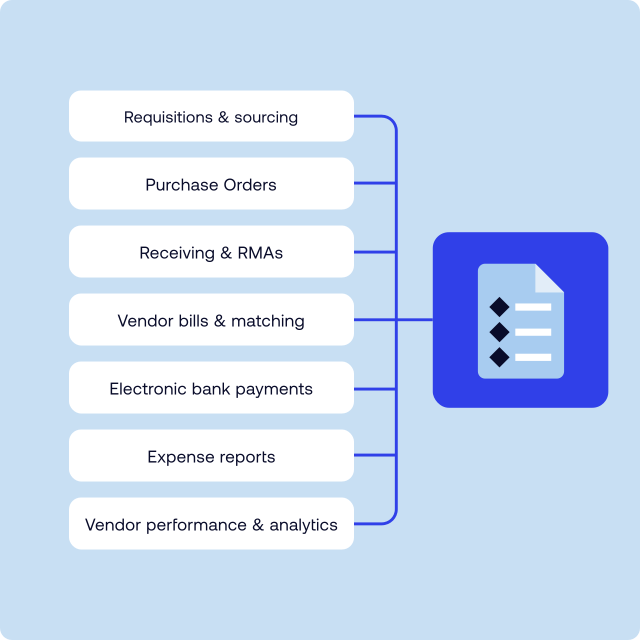
The process
Seven steps from request to payment
Procure-to-pay starts when someone needs something and ends when the vendor is paid. See who does what throughout the procure-to-pay process when you run Charted inside NetSuite.
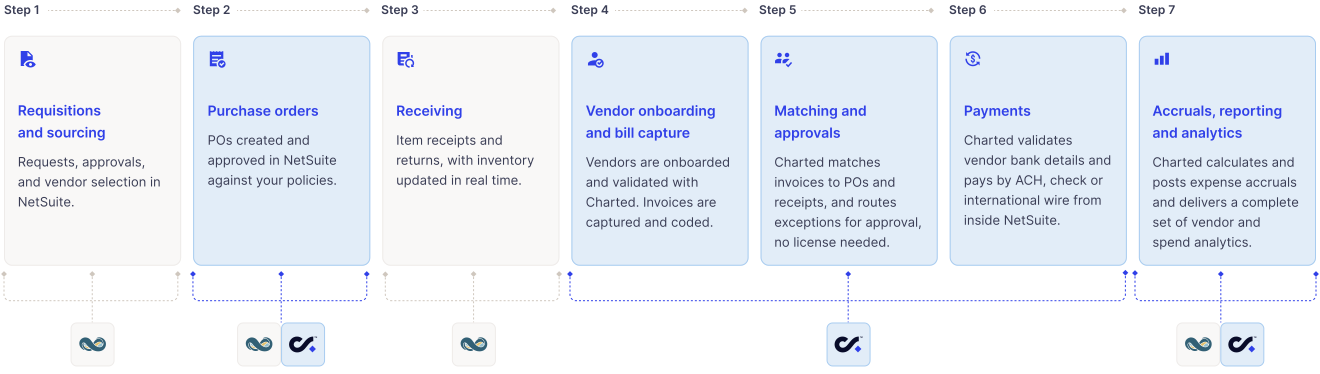
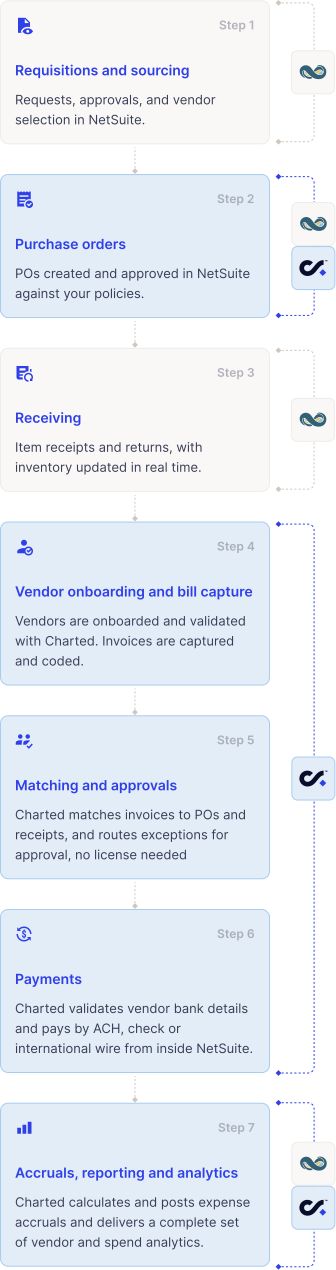
What Charted does
From the invoice onward, Charted does the work
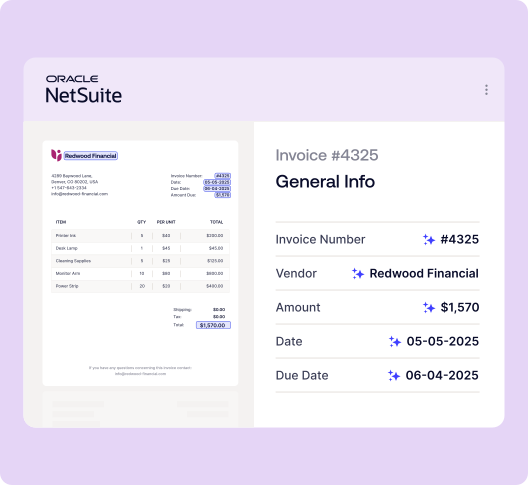
Invoice capture
Invoice Al reads, codes,
and files every bill
Invoices arrive by email or upload and come out as coded vendor bills in NetSuite. Invoice AI learns each vendor’s layout and your coding patterns from every correction, so exceptions reduce month over month.
- Documents attached to the NetSuite record
- Line-level coding to departments, classes, projects, or grants
PO matching
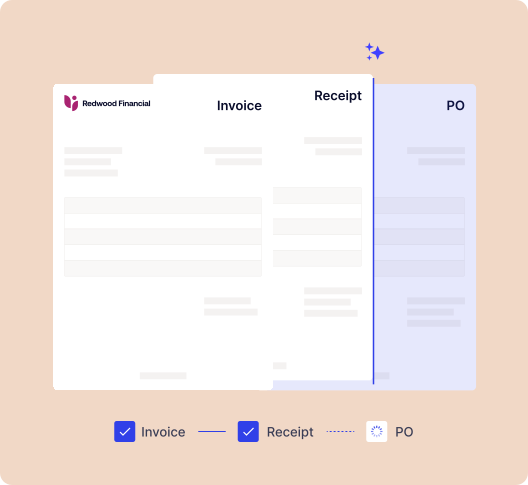
Three-way match before anyone approves
Charted matches the bill to the PO and the receipt in real-time, flagging quantity and price variances within the tolerances you set. Approvers only have to look at the exceptions.
- Two-way and three-way match
- Variance rules you control
Approvals
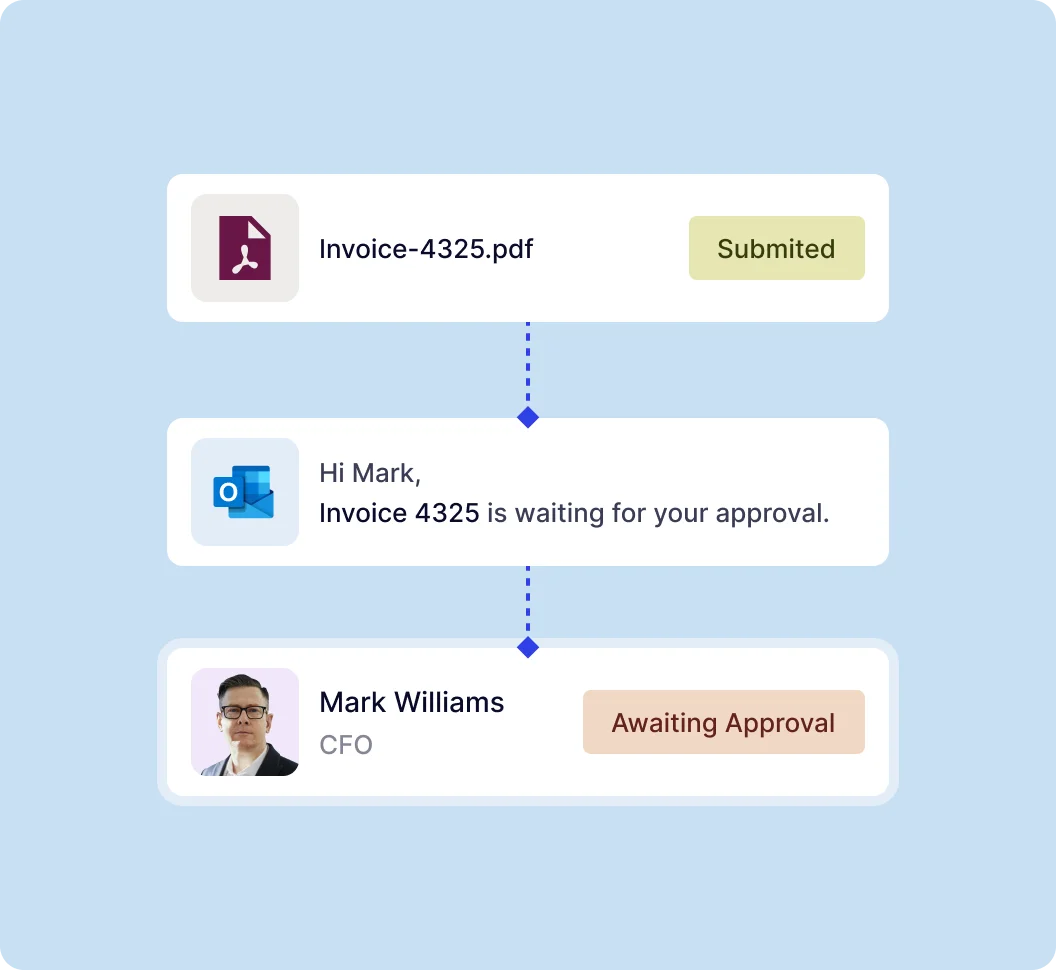
Approvals by email, no NetSuite license required
Bills route through your approval matrix by amount, department, vendor, or project. Approvers can review and approve from email anywhere, with every decision logged in NetSuite.
- Approval thresholds and delegation
- Full history in NetSuite System Notes
Payments
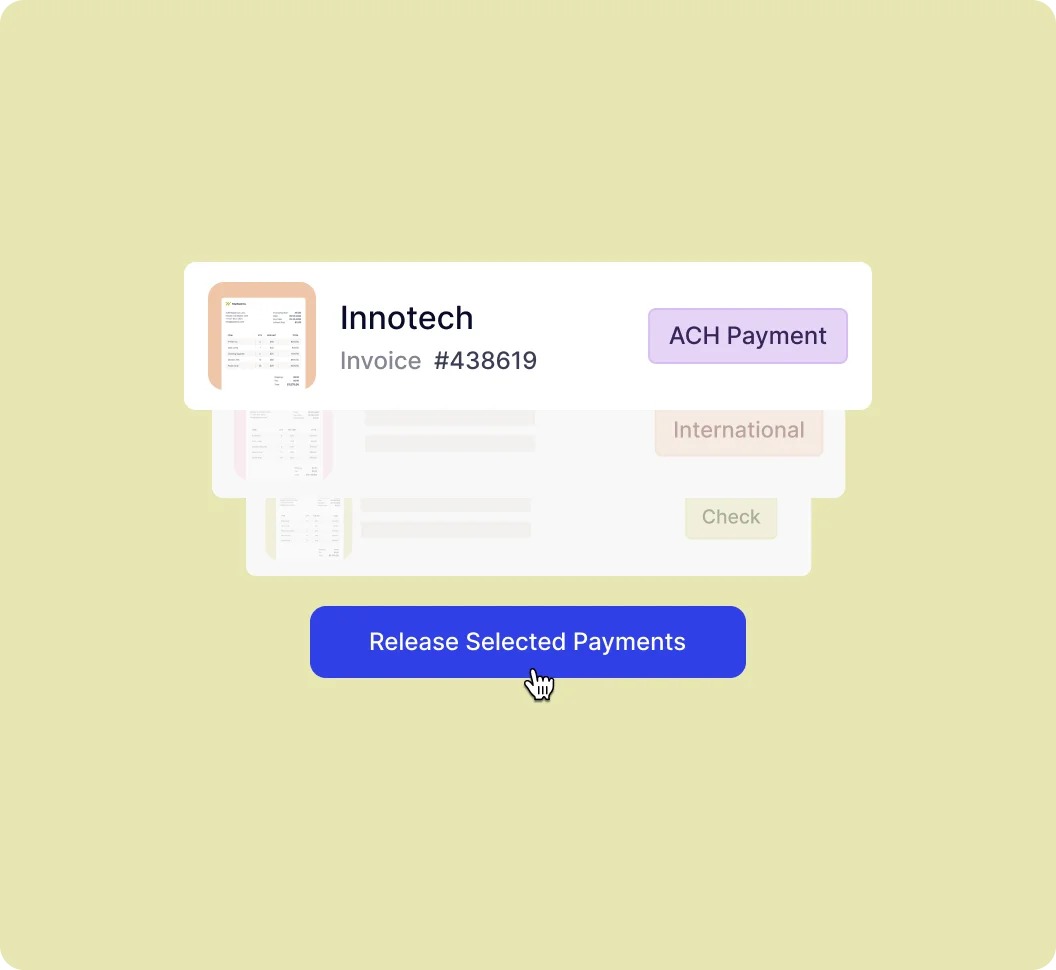
Pay vendors from inside NetSuite
ACH, check printing, and international payments from one payment run, with vendor banking details collected and verified through Advanced Vendor Onboarding.
- One payment run for every method
- Vendor onboarding with bank verification
Why stay embedded inside NetSuite
One system of record for the whole AP process
Most AP tools sit outside of NetSuite, and rely on syncing. Charted runs inside NetSuite, ensuring you can always rely on what you see.
Measured across our customer base
What finance teams see after switching
Customer averages, as published on charted.com
80%
less time to set up a new vendor
95%
increased accuracy in invoice data extraction
75%
faster invoice approval cycles
Frequently asked questions
Accounts payable is one part of procure-to-pay: the part that manages and pays vendor invoices. AP covers onboarding a vendor, receiving the bill, matching it to the purchase order, approving it, and paying it. Procure-to-pay is the full process starting with requisitioning goods or services and ending with payment, including sourcing, purchase orders, receiving, invoice processing, and payment. Charted automates the AP side inside NetSuite, and NetSuite runs the purchasing side.
No. Requisitions, purchase orders, and receiving run through NetSuite’s out-of-the-box capabilities. Charted starts at vendor onboarding, then uses NetSuite records to match the vendor bill to the PO and receipt, then sends it for approval, and finally pays it. A NetSuite partner can configure the purchasing side if it is not set up yet.
No. Approvers can review and approve bills from their email without a NetSuite license. Every decision is kept on the bill’s history in NetSuite.
Charted receives invoices into the inbox via email, e-invoice, or the team uploads them. Invoice AI reads each invoice, codes it, and creates the vendor bill in NetSuite with the original document attached.
Yes. Any NetSuite partner can configure requisitions, purchase orders, and receiving. Partners tagged “Certified to implement Charted” can also set up Charted for invoices, approvals, and payments in the same project. Find one through the Charted partner directory.
Procure-to-pay (P2P) in NetSuite is the end-to-end purchasing and payables process, from a purchase request to paying the vendor, all run on NetSuite records. Requisitions, purchase orders, receipts, vendor bills, and payments all live in NetSuite, so every step shares one system of record.
Procure-to-pay has seven steps: requisitions and sourcing, purchase orders, receiving, vendor bill and matching, approvals, payments, and reporting. In NetSuite with Charted, NetSuite runs the first three, Charted runs the next three, and reporting draws on both.
NetSuite includes the records and core workflows for every procure-to-pay step, from requisitions to vendor payments. Finance teams typically add automation where the manual work concentrates: reading and coding invoices, handling match exceptions, routing approvals to people outside NetSuite, and running payments. That is the part Charted automates.
Three-way matching compares a vendor bill to its original purchase order and the item receipt before the bill is approved for payment. If quantities or prices differ beyond the tolerance you set, the bill is flagged as an exception. Two-way matching compares the bill to the purchase order only.