

By using the Charted Approval Automation feature, it’s very easy to setup an approval process which requires one or more employees to approve a Purchase Order. The configuration steps below show how to require two specific employees to approve all Purchase Orders. However, this isn’t the only way to set this up. See the Frequently Asked Questions below for more details!
Configuration
Setting up this approval process is very easy using the Charted Approval Automation feature for NetSuite! Use the following process to set up your approval requirements in your environment:
Step 1: Enable approvals for the Purchase Order
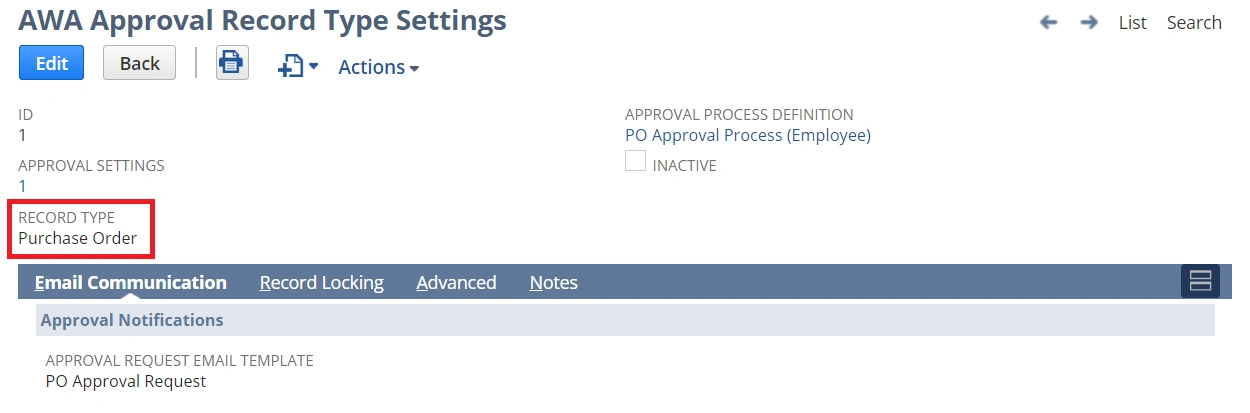
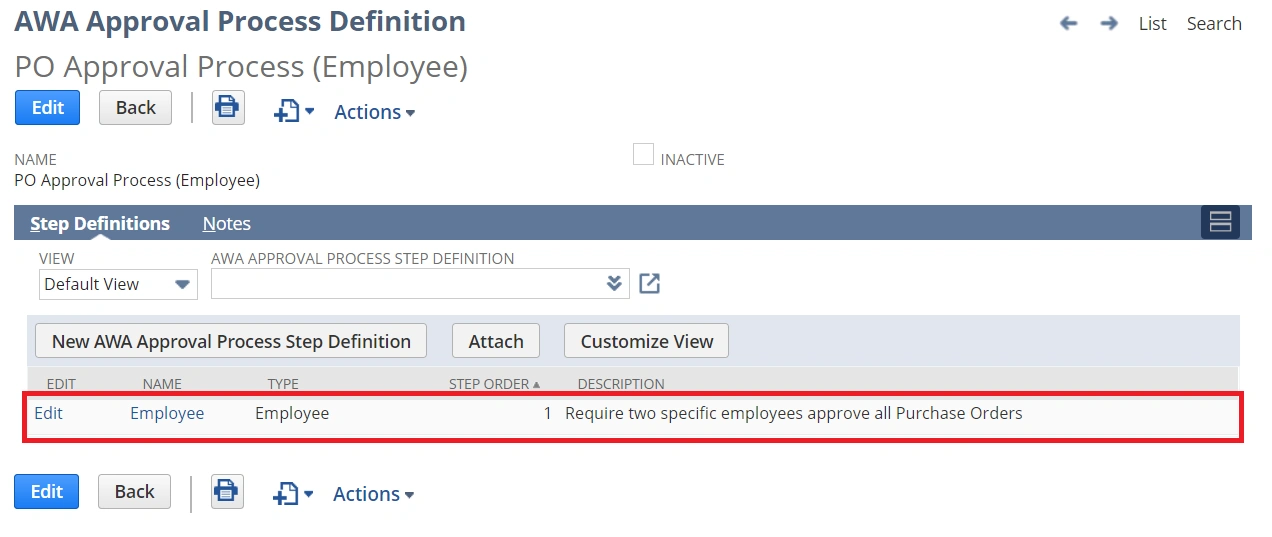
Step 2: Setup an Approval Process with an Employee Approval Step
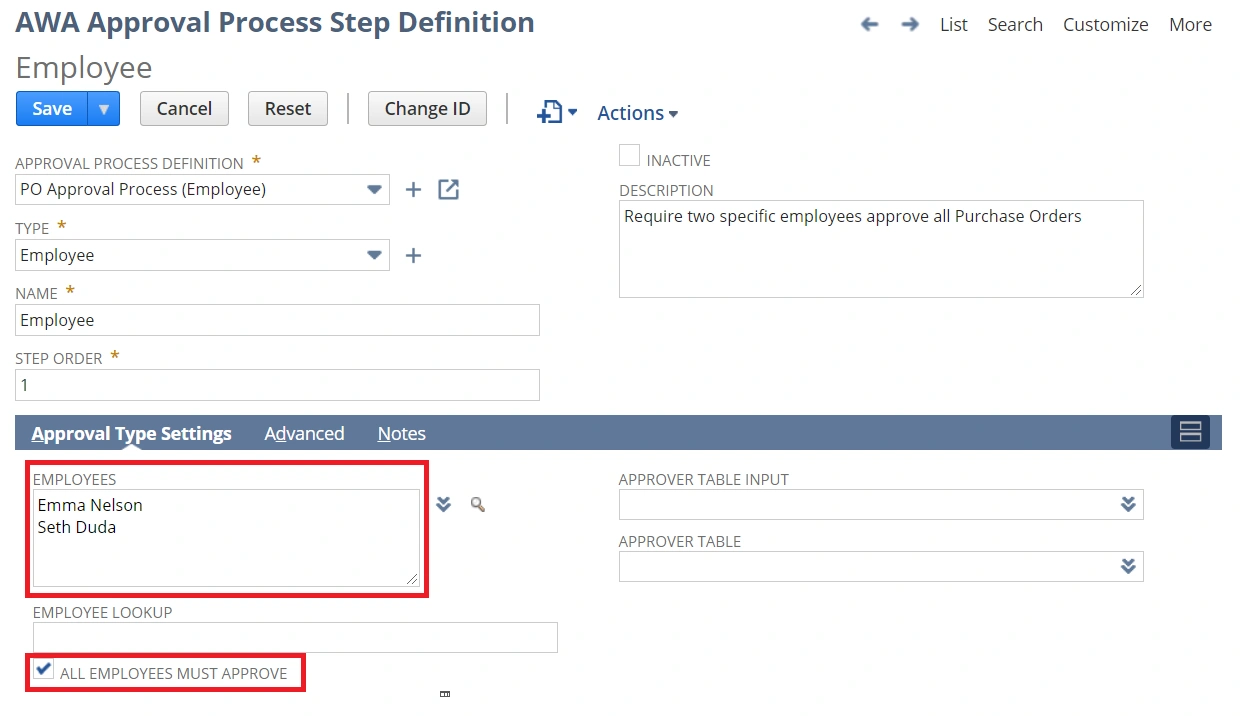
Step 3: Configure the Approval Step to specify the required employees and indicate that all of the specified employees must approve
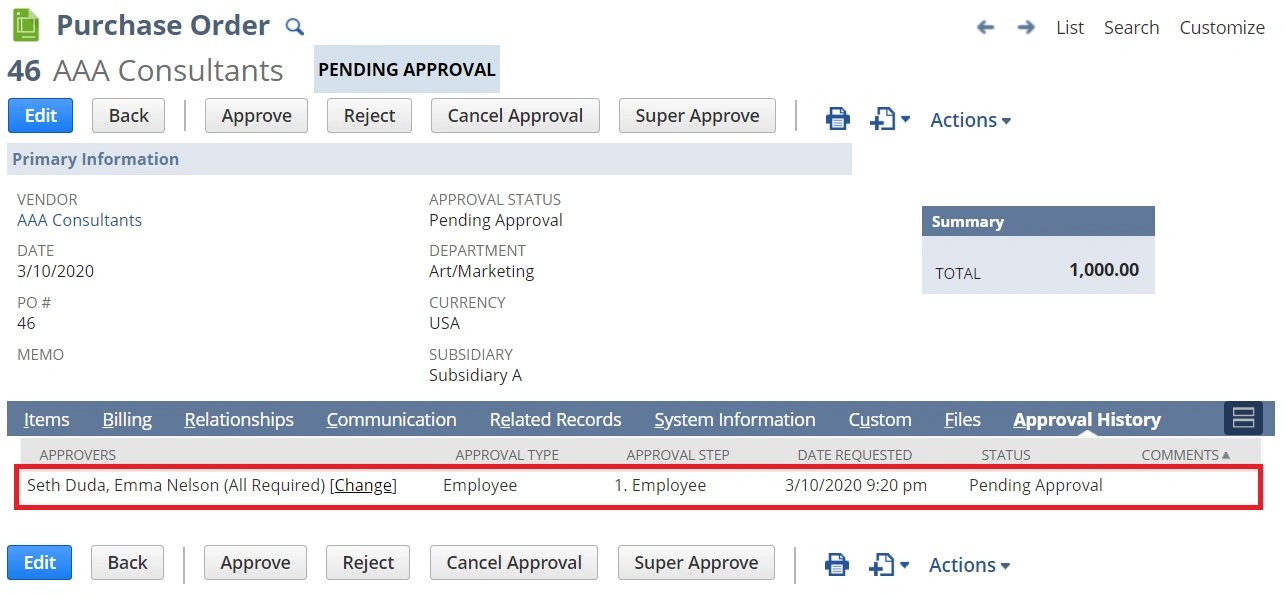
Step 4: You’re done. Purchase Orders can now be submitted for approval and the specified employees will be required to approve the transaction.
Frequently Asked Questions
Can the set of required employees change dynamically based on the transaction being submitted for approval?
This is a common request which can be handled by our solution. There are a number of options to dynamically choose who the approver should be. One of the most common requests we’ve seen is to have the approver(s) be specified on a department. Based on the PO’s department (header level), lookup who the approver(s) should be. There’s a setting called “Employee Lookup” (see Step 3’s screenshot) which can be used to “lookup” fields related to the Purchase Order being approved. In this scenario, the lookup can be configured to look at the PO’s department’s approvers.
However, that’s a simple scenario. Our solution can easily handle complex scenarios such as looking up the approver(s) based on line-level fields, taking into account multiple other fields and conditions.
Do all of the employees specified need to approve? Does it matter who approves first?
Yes, based on the settings configured above, both approvers are required to approve. It doesn’t matter who approves first. However, there’s a setting shown above called “All Employees Must Approve”. When this setting is unchecked, only one of the specified approvers is required to approve. If you would like to require both, but have approvals be required in a specific order, this is also very easy to setup!
An employee is out of office. Can they be skipped in the approval hierarchy?
One or more roles in NetSuite can be setup to act as Super Approvers. Super Approvers can quickly navigate to a Purchase Order and change who the next approver should be.
Can the approvals follow the specified employee’s hierarchy?
This is actually a different type of approval, but it’s possible. Please see our article on employee hierarchy approvals for more details.
My approval process is more complex than a simple employee-based approval. Can your product handle other types of approval processes?
Our solution is designed to be flexible and will handle nearly anything you can throw at it – it’s not limited to employee-based approvals. We’ve seen complex, multi-stage custom approval workflows (that no one wants to touch!) be quickly replaced with our solution. Reach out if you would like to discuss your use case.
For more information about this feature, please read here: Approval Automation